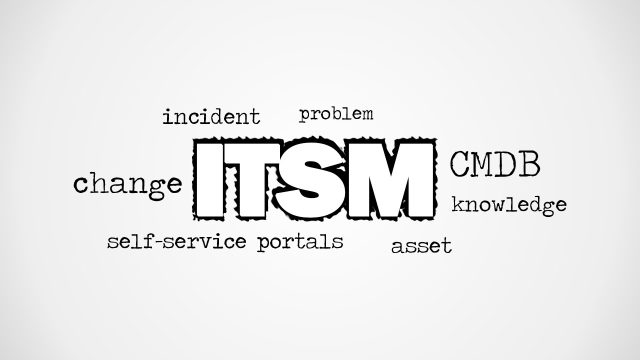
Information Technology Word Cloud Picture for PowerPoint is a creative tag cloud image for PowerPoint presentations that you can use to decorate your slides on IT and corporate Information Technology. This tag cloud picture contains relevant keywords for IT presentations such as Research, Data, Analysis, Database, Security, etc.
You can use this IT tag cloud picture to decorate presentations on organizational information security or to make slides for speeches and presentations held by personnel in the IT department.
What’s inside this template
Example presentation scenarios
- An IT manager can open a department update by showing the information technology word cloud before moving into priorities for infrastructure, database, and security work.
- A cybersecurity presenter can use the white-background word cloud as a section divider when introducing organizational security awareness or data protection topics.
- A technology consultant can place the word cloud before a discovery workshop to frame discussion around research, analysis, development, and database needs.
- A corporate trainer can use the blank white canvas to add a course title and then insert the word cloud as a visual cue for an IT fundamentals session.
Features
- 100% editable presentation template
- Compatible with Microsoft PowerPoint and Google Slides
- Scalable vector shapes, icons and illustrations
- AI-Ready for Microsoft Copilot and Claude
- Instant access and download
Frequently asked questions
Q: How should a presenter use the word cloud without making the slide feel decorative only?
A: Treat the largest phrase, INFORMATION TECHNOLOGY, as the main idea and connect two or three smaller terms to the next section of the talk. For example, call out security, database, and analysis before explaining risks, architecture, or reporting needs. This turns the graphic into an agenda bridge rather than a background image.
Q: Who is this template best suited for?
A: This template fits presenters who need a fast visual cue for IT topics, especially IT managers, security leads, trainers, and consultants. It works best for openings, interstitial slides, workshop setup, or title sections where the goal is to signal the topic area before showing detailed content elsewhere.
Q: Why does a word cloud metaphor work for information technology presentations?
A: The word cloud acts as a concept map, showing that IT is made of connected areas such as data, database, security, development, and analysis. The oversized central phrase creates immediate focus, while smaller surrounding terms give the audience context before the presenter narrows the discussion.




Information Technology Word Cloud Picture for PowerPoint
2-slide presentation template with IT word cloud picture for information technology and security topics
Information Technology Word Cloud Picture for PowerPoint is a 2-slide presentation template with an IT keyword word cloud, a blank white canvas, and a white-background word cloud variation. It is designed for IT, security, database, and data analysis presentation openings or section visuals in Microsoft PowerPoint and Google Slides.


 Loading...
 Microsoft PowerPoint
  Microsoft Copilot
  Claude for PowerPoint
 Other formats supported
Subscribe today and get immediate
access to download our PowerPoint templates.