Big Data Word Cloud Picture for PowerPoint – Big Data is a general term for sets of data which are too large or too complex for conventional data processing applications to digest and process. It is usually used to refer to predictive analytics and projective algorithms. Big data requires extensive processing. In technical and technological terms, big data is relatively easy to handle with the right type of software. However, in the real world, big data also needs to be processed by human minds so that the information can be properly taken into account when making important business decisions.
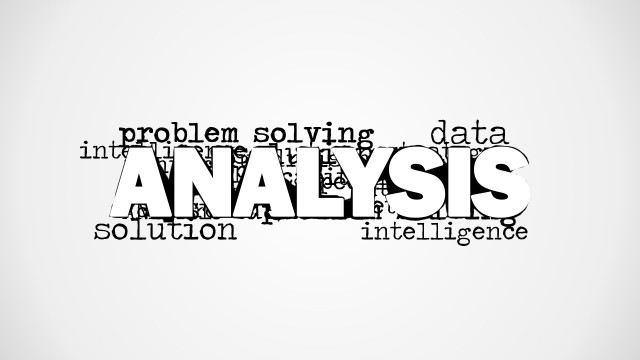
Using the Big Data Word Cloud Picture for PowerPoint, the user can present the concept of big data in a relatively quick and easy manner. Like the management of big data in day-to-day use, the different elements, terms and concepts associated with big data are compiled into a single presentation design. This allows the presenter to give the audience an overview of the concept of big data itself.
With a brief introduction, the user can elaborate on each term found on the word cloud, focusing on some key terms such as data analysis and intelligence. The presenter may then use these terms as visual and verbal cues to explain how the two terms are associated with big data.
The PowerPoint template may also be used in other analytical presentations. One example of which would be a detailed case study and analysis of the company’s sales and financial performance during a specific fiscal year. Due to the sheer number of elements concerned, some of them would be too numerous or too complex for particular management team members to properly understand. This is in consideration of the multitudes of technical jargon which are commonly used in processing big data.
With the idea of big data in mind, the presenter can then go through the different ways used to process this type of data. The slide can be followed by a series of financial statistics, broken down by relevance, as well as a set of interactive graphs and charts to make the presentation more audience-friendly.
Create a brief, substantive report with the Big Data Word Cloud Picture for PowerPoint. Provide the audience with the context of the presentation, making it easier to make them understand the concepts behind the intricate processes.
The presenter can also edit the content of the presentation, resizing some words and clipart, to make them more suitable to the presentation and to the target audience. By doing this, the presenter can be more assured of an audience-ready presentation that can both appeal and inform. The user can apply different PowerPoint Dashboards to its presentation to show the application of big data to their data sources and data sets.
What’s inside this template
Example presentation scenarios
- A data analyst can use the word cloud picture to open a big data briefing and define terms such as data analysis, intelligence, information, and technology before showing detailed findings.
- An IT consultant can use the white-background word cloud picture to frame a client discussion about cloud computing, platforms, applications, and research priorities.
- A business intelligence manager can use the gray-gradient word cloud picture as a divider before explaining how data sources, analytics, and decision support connect.
- An instructor can use the typography-based big data graphic to start a training session and invite learners to identify familiar and unfamiliar technical terms.
Features
- 100% editable presentation template
- Compatible with Microsoft PowerPoint and Google Slides
- 16:9 aspect ratio slides
- Scalable vector shapes, icons and illustrations
- AI-Ready for Microsoft Copilot and Claude
- Instant access and download
Frequently asked questions
Q: How should a presenter use the word cloud without making the message feel vague?
A: Use the large BIG DATA text as the main idea, then select three to five surrounding terms to explain in sequence. For example, move from information to data analysis to intelligence, connecting each word to a business decision. Avoid reading every term; treat the word cloud as a visual map for the introduction.
Q: Who is this template best suited for in a business presentation?
A: This template works best for analysts, IT leaders, consultants, and educators who need a quick visual entry point into a technical topic. It is most useful before detailed slides, such as process diagrams, dashboards, or case analysis, because the word cloud prepares the audience for the vocabulary and scope of big data.
Q: Why use a word cloud metaphor for a big data topic?
A: A word cloud mirrors the idea of many connected data concepts competing for attention. The oversized BIG DATA label gives the audience a center of gravity, while smaller terms suggest related dimensions such as platforms, applications, research, information, and intelligence. This makes an abstract technology topic easier to frame before deeper explanation.




Big Data Word Cloud Picture for PowerPoint
2-slide presentation template with big data word cloud graphics for analytics and technology topics
Big Data Word Cloud Picture for PowerPoint is a 2-slide picture presentation template for introducing data, analytics, intelligence, research, and technology themes. It includes a large big data word cloud picture, a gray gradient background version, and a clean white background version for Microsoft PowerPoint and Google Slides.
- Category
- Pictures
- Rating


 Loading...
- Aspect ratio
- 16:9, 4:3
- Item ID
- 8316-01
- Colors
 Microsoft PowerPoint
  Microsoft Copilot
  Claude for PowerPoint
 Other formats supported
Subscribe today and get immediate
access to download our PowerPoint templates.