Slide 3 of 7 from Income Statement PowerPoint Template
Income Statement Table for Expenses
Income Statement - Expenses Overview
- Table
- Data Table
- Financial Summary Slide
- 16:9
- 100% Editable
The Income Statement - Expenses slide from the Income Statement PowerPoint Template offers a clear table layout for detailed expense reporting and financial analysis. Designed for business presentations, this slide includes editable shapes and placeholders to present expense data effectively, supporting budget presentations and corporate financial reviews within a professional slide deck.
About This Slide
Income Statement Expenses slide design template for PowerPoint presentations that you can use to make financial statement presentation.
The pre-designed financial statement template for PowerPoint shows the expenses data with a grid background design for Microsoft PowerPoint presentations.
Alternatively you can download other financial statement templates for Microsoft PowerPoint as well as other creative profit and loss slide designs for financial PowerPoint presentations, including creative KPI templates and dashboards to present your financial data.
What’s on This Slide
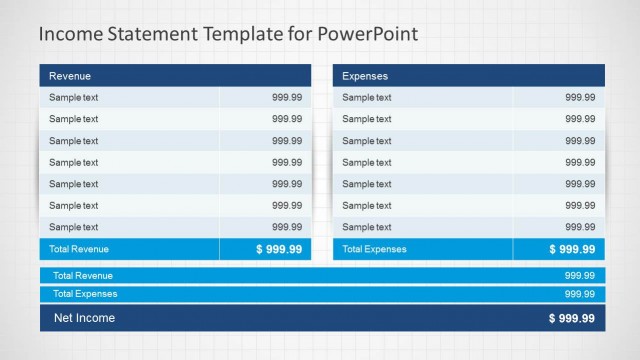
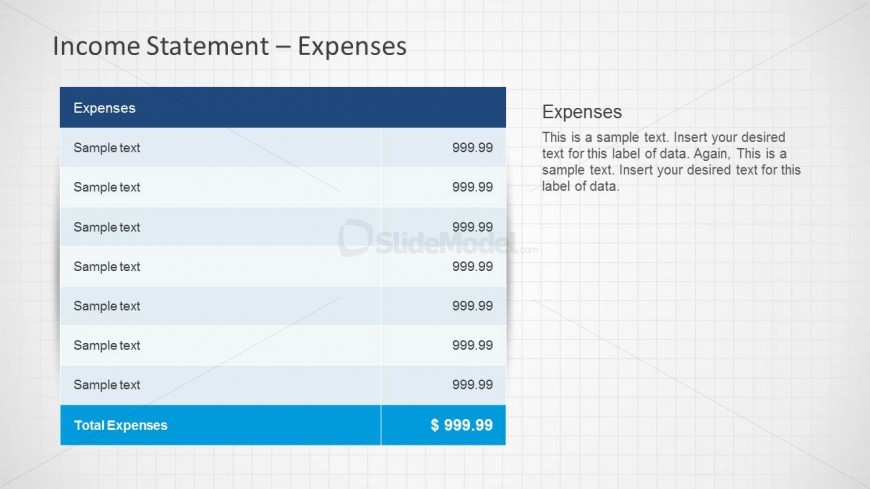
The slide features a table positioned centrally, with a blue header labeled 'Expenses' at the top. Below the header, there are multiple rows for data entry, each containing placeholders for text and corresponding numerical values. The last row is highlighted in blue, indicating 'Total Expenses' with a total amount displayed in bold. To the right of the table, a text placeholder is provided for additional commentary or notes. The overall layout is structured with clear visual hierarchy, emphasizing the total expenses at the bottom.
How to Use It
This layout serves as a detailed breakdown of expenses in an income statement, fitting into a financial reporting sequence. It is useful for finance and accounting presentations, allowing teams to present expense data clearly. This slide can be used to summarize costs incurred over a specific period, making it relevant for budget reviews or financial analyses. It is best positioned after revenue slides to provide a complete financial picture.
Text Placeholders & Capacity
Keep your copy within these limits so it fits without resizing. Node labels can hold about 2-3 words each.
| Placeholder | Count | Max characters (approx.) |
|---|---|---|
| Slide title | 1 | 30 |
| Item heading | 7 | 15 |
| Item body | 7 | 10 |
| Item body | 1 | 15 |
Slide Keywords
Download unlimited PowerPoint templates, charts and graphics for your presentations with our annual plan.
DOWNLOADReturn to Income Statement PowerPoint Template.