Slide 1 of 4 from Green Cause & Effect Diagram for PowerPoint
Cause & Effect Slide Design for PowerPoint with Tree Diagram
Cause and Effect Diagram for Presentations
- Diagram
- Other
- Strategic Analysis Slide
- 16:9
- 100% Editable
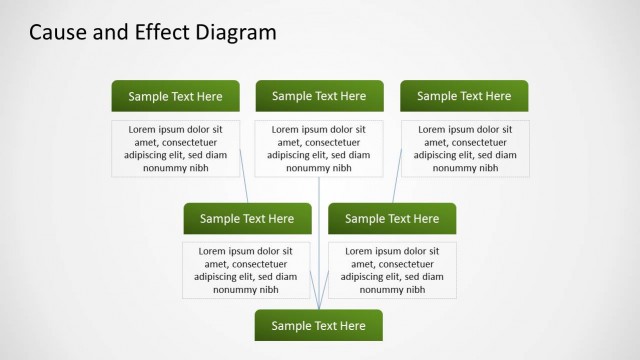
The Cause and Effect Diagram slide from the Green Cause & Effect Diagram for PowerPoint template provides a clear layout for root cause analysis in business presentations. This slide uses editable shapes arranged vertically to illustrate cause-and-effect relationships effectively, making it suitable for strategic discussions and process explanations within professional slide decks.
About This Slide
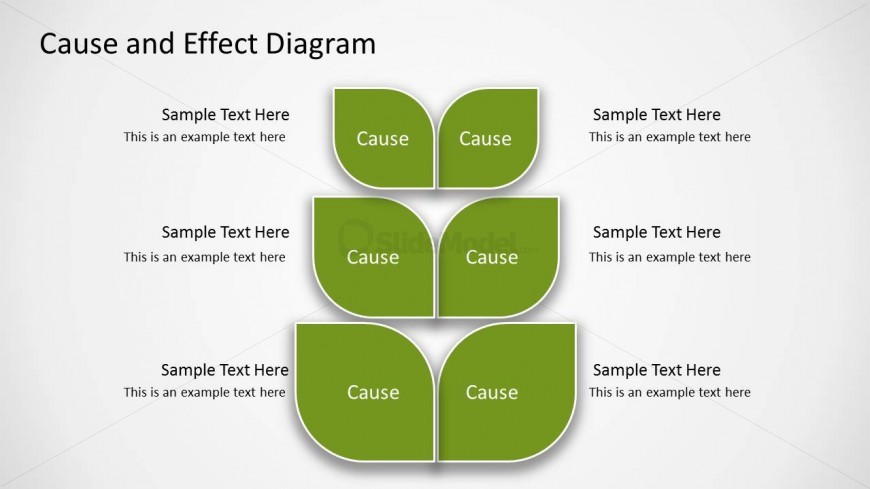
You can represent a cause and effect relationship using tree diagrams like this and answer questions like “Why it happens?”
What’s on This Slide
The slide features a vertical arrangement of four pairs of leaf-shaped nodes, each labeled 'Cause.' These nodes are stacked with two nodes per row, creating a structured visual hierarchy. Each node has a corresponding text placeholder beneath it, aligned centrally, with additional sample text placeholders positioned above the nodes. The background is a light gradient, enhancing the visibility of the green nodes. The overall composition emphasizes a clear cause-and-effect relationship, with ample space for textual content and a cohesive design.
How to Use It
This layout serves as a cause-and-effect diagram, ideal for illustrating relationships between factors in a process. It fits well in presentations focused on root cause analysis or problem-solving discussions. This structure can be utilized in business meetings, educational settings, or project evaluations where identifying causes is essential. It effectively organizes information for clarity and engagement, making it suitable for both individual and group presentations.
Text Placeholders & Capacity
Keep your copy within these limits so it fits without resizing. Node labels can hold about 20 characters each, while body text can accommodate roughly 50 characters.
| Placeholder | Count | Max characters (approx.) |
|---|---|---|
| Slide title | 1 | 30 |
| Item heading | 8 | 20 |
| Item body | 8 | 50 |
Slide Keywords
Download unlimited PowerPoint templates, charts and graphics for your presentations with our annual plan.
DOWNLOADReturn to Green Cause & Effect Diagram for PowerPoint.