Slide 12 of 31 from Go-To-Market PowerPoint Template
Strategy Sections for Go-To Market PPT
Go-To Market Strategy Steps Overview
- Diagram
- Comparison Split
- Strategy Slide
- 16:9
- 100% Editable
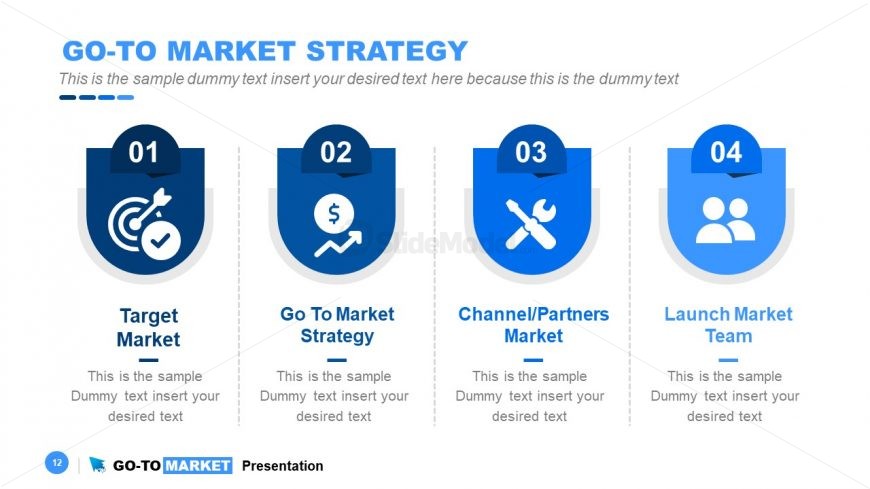
The Go-To Market Strategy Steps slide from the Go-To-Market PowerPoint Template offers a clear, sequential diagram ideal for outlining market entry phases. This slide layout uses editable shapes and vector icons to visually distinguish each strategic step, making it suitable for business presentations and pitch deck templates focused on strategic planning and product launches.
What’s on This Slide
The layout features four circular nodes arranged horizontally across the slide. Each node is visually distinct, containing an icon at the top, a number, and a title below. The first node is labeled 'Target Market,' the second 'Go To Market Strategy,' the third 'Channel/Partners Market,' and the fourth 'Launch Market Team.' Below each title, there is a text placeholder for additional information, centered within each node. The background is a light blue gradient, with a prominent title at the top and a footer with a logo. The visual hierarchy emphasizes the nodes with bold colors and icons.
How to Use It
This layout serves as a sequential overview of a go-to-market strategy, ideal for presenting key steps in a business context. It can be used in a presentation to outline the phases of market entry, making it suitable for product launches or strategic planning meetings. The structure allows for clear communication of each step's purpose and importance, fitting well after a problem-framing slide and before detailed action plans. This layout is effective for stakeholders needing a concise summary of strategic initiatives.
Text Placeholders & Capacity
Keep your copy within these limits so it fits without resizing. Node body slots can accommodate roughly 10-12 words each.
| Placeholder | Count | Max characters (approx.) |
|---|---|---|
| Slide title | 1 | 40 |
| Item heading | 4 | 20 |
| Item body | 4 | 60 |
Slide Keywords
Download unlimited PowerPoint templates, charts and graphics for your presentations with our annual plan.
DOWNLOADReturn to Go-To-Market PowerPoint Template.