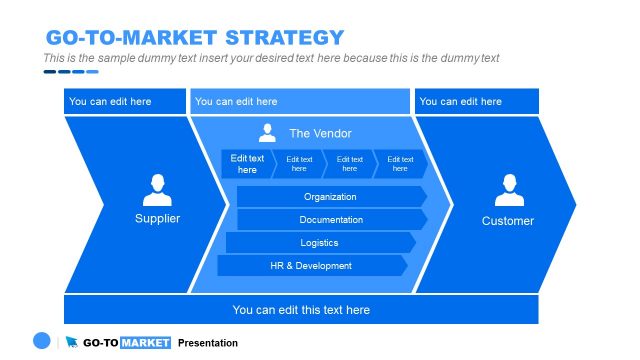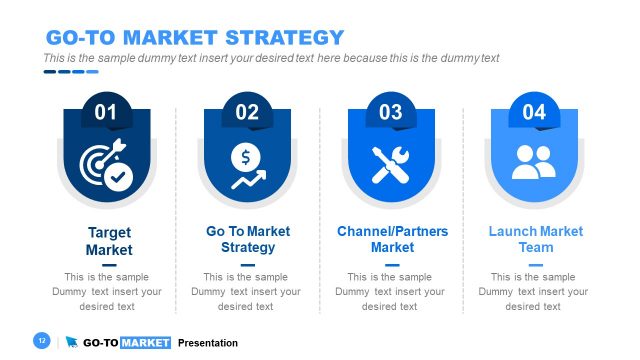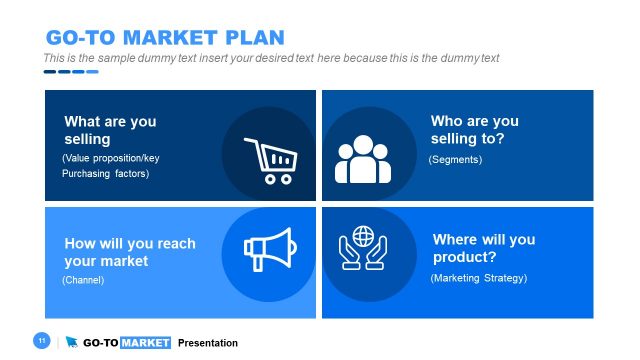
Slide 5 of 31 from Go-To-Market PowerPoint Template
PowerPoint Strategy Diagram Infographics
Go-To-Market Strategy Triangle Overview
- Diagram
- Other
- Strategy Slide
- 16:9
- 100% Editable
The Go-To-Market Strategy Triangle slide from the Go-To-Market PowerPoint Template offers a clear visual framework for product launch planning and market entry strategy. This editable slide highlights key elements such as what to sell, where to sell, and how to sell, supported by vector icons and a clean design. It is well-suited for corporate presentations and business presentations aiming to align stakeholders and clarify marketing approaches within a strategic slide deck.
About This Slide
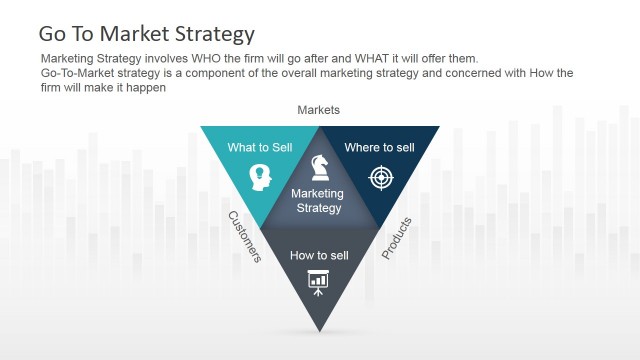
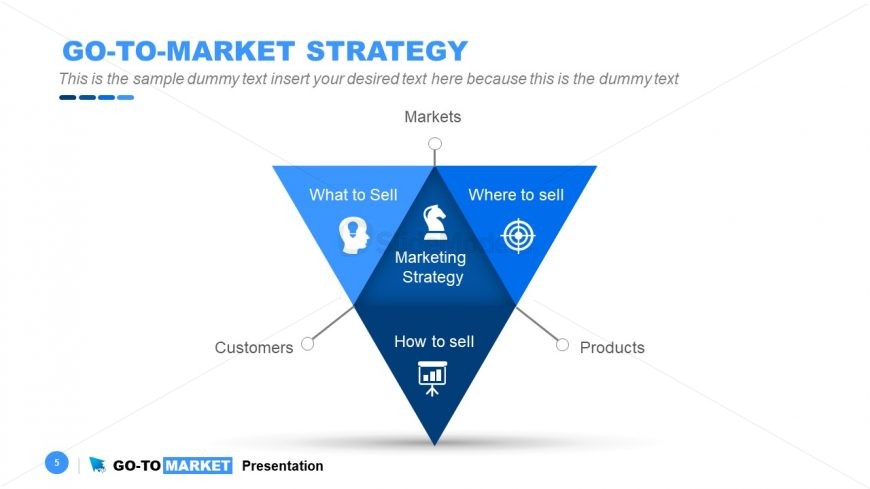
This Go to market strategy slide contains an inverted triangular diagram with a bold blue color and icons at each corner. The diagram is part of the professional Go to Market Strategy PowerPoint template and it is divided into three sections, each labeled with a key question for market strategy: “What to Sell” at the top, “How to Sell” at the bottom left, and “Where to Sell” at the bottom right.
Surrounding the triangle in the Go to market presentation slide are additional labels: Customers on the left, Products on the right, and Markets at the top. Above the triangle, there’s a placeholder text that can be edited and customized in your Go to Market strategy presentation.
The overall design is clean, modern, and appears to be part of a professional presentation template.
This Go to market slide with an inverted pyramid is designed to present the core components of a go-to-market (GTM) strategy within a presentation. Here’s how each element can be used:
What to Sell: This section prompts the presenter to discuss the product or service being offered. It’s an opportunity to detail the unique value proposition, features, and benefits that meet the identified market needs.
Where to Sell: This guides the conversation towards the selection of distribution channels and target markets. The presenter can outline which geographical areas, online platforms, or retail channels the product or service will be available, and why these channels are chosen.
How to Sell: Here, the focus shifts to sales tactics and customer journey. This part is crucial for showcasing the sales process, pricing strategy, promotional activities, and customer service approach.
Customers: By placing “Customers” adjacent to “How to Sell”, it suggests a customer-centric approach to selling—understanding customer personas, their pain points, and purchasing behavior.
Products: The position next to “Where to Sell” implies that product decisions are influenced by the chosen sales channels or vice versa.
Markets: This is about the broader market environment where the product will compete. It suggests considering market size, growth, competition, and trends.
The placeholder text areas above the triangle typically serves as a place for the presenter to include a brief introduction to the GTM strategy or an executive summary (learn how to write an executive summary for your presentation here). The slide, as a whole, functions as a strategic overview, ensuring that key stakeholders are aligned on the what, where, and how of the product or service launch. It’s usually an early slide in a GTM presentation, setting the stage for deeper dives into each area in subsequent slides.
What’s on This Slide
The layout features a central triangle divided into three sections labeled 'What to Sell,' 'Where to Sell,' and 'How to Sell.' Each section contains an icon representing its theme. The triangle is flanked by two circles at the bottom labeled 'Customers' and 'Products.' The title is positioned at the top, with a large font size emphasizing the topic. Text placeholders are present within each section and are centrally aligned, allowing for clear visibility. The background is predominantly white with blue accents, creating a clean and organized appearance.
How to Use It
This layout serves as a strategic framework to present a go-to-market strategy. It effectively outlines key components of marketing strategy, making it suitable for discussions on product launches or market entry plans. This slide fits well after problem identification and before detailed action plans in a presentation. It is ideal for business scenarios where teams need to clarify their approach to market segmentation and customer targeting, ensuring alignment among stakeholders.
Text Placeholders & Capacity
Keep your copy within these limits so it fits without resizing. Node labels can hold about 20 characters each.
| Placeholder | Count | Max characters (approx.) |
|---|---|---|
| Slide title | 1 | 30 |
| Item heading | 3 | 20 |
| Item body | 3 | 50 |
| Footer | 1 | 50 |
Slide Keywords
Download unlimited PowerPoint templates, charts and graphics for your presentations with our annual plan.
DOWNLOADReturn to Go-To-Market PowerPoint Template.