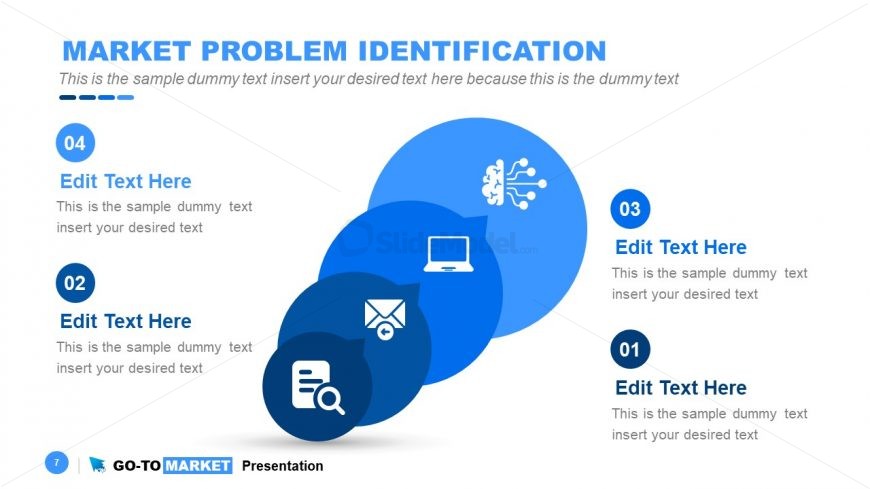
Slide 7 of 31 from Go-To-Market PowerPoint Template
Market Identification Go-To Strategy Presentation
Market Problem Identification Slide
- Diagram
- Arrow Sequence
- Problem Framing Slide
- 16:9
- 100% Editable
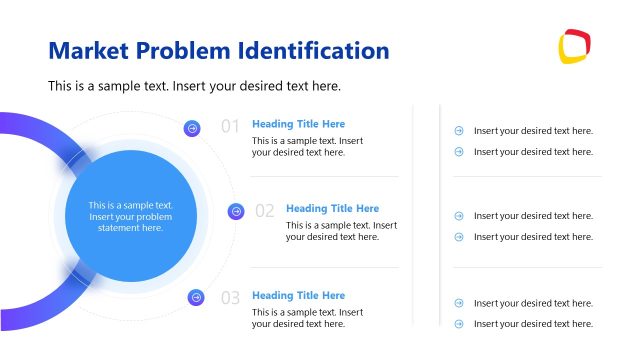
The Market Problem Identification slide from the Go-To-Market PowerPoint Template provides a clear, sequential diagram ideal for market analysis presentations and strategic planning discussions. This slide uses editable shapes and vector icons to visually represent the step-by-step process of identifying market challenges, making it a practical addition to business presentations and pitch deck templates focused on product launch strategies.
What’s on This Slide
The slide features a title at the top center stating 'MARKET PROBLEM IDENTIFICATION.' Below the title, there are four circular nodes arranged in a vertical sequence from top to bottom. Each node contains a number and a placeholder for text, with the first node at the bottom being the largest. The nodes are connected by a flow direction that suggests a sequence. The left side of the slide includes icons representing different concepts, such as a laptop and a magnifying glass. Text placeholders are aligned centrally within each node, and the overall color scheme is predominantly blue with white accents.
How to Use It
This layout serves to outline a sequential identification process for market problems, making it suitable for presentations focused on market analysis or strategy development. It fits well after a problem-framing slide and can be used in business contexts such as product launches or strategic planning discussions. The structure allows for clear communication of steps involved in identifying market challenges, making it effective for teams in marketing or product management.
Text Placeholders & Capacity
Keep your copy within these limits so it fits without resizing. Node body slots can hold about 15-20 words each.
| Placeholder | Count | Max characters (approx.) |
|---|---|---|
| Slide title | 1 | 40 |
| Item heading | 4 | 20 |
| Item body | 4 | 100 |
Slide Keywords
Download unlimited PowerPoint templates, charts and graphics for your presentations with our annual plan.
DOWNLOADReturn to Go-To-Market PowerPoint Template.