Slide 14 of 31 from Go-To-Market PowerPoint Template
GTM Selling Time Comparison Template
Increase Direct Selling Time Comparison Slide
- Diagram
- Comparison Split
- Strategy Slide
- 16:9
- 100% Editable
The Direct Selling Time Comparison slide from the Go-To-Market PowerPoint Template provides a clear, editable layout to contrast core and non-core selling strategies. Ideal for corporate presentations and sales strategy discussions, this slide template supports operational efficiency analysis with its balanced design and editable shapes, making it a practical addition to any business presentation or pitch deck template.
About This Slide
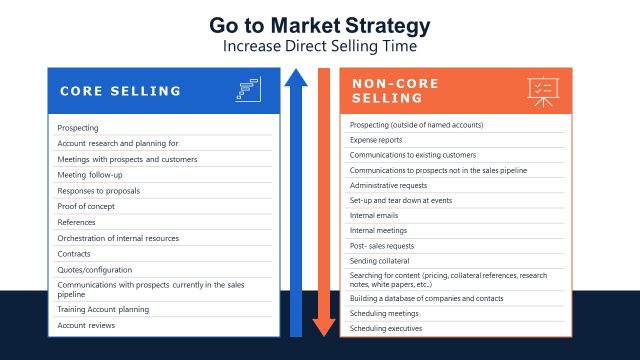
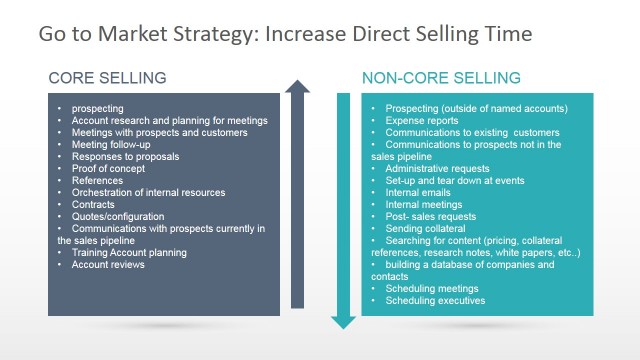
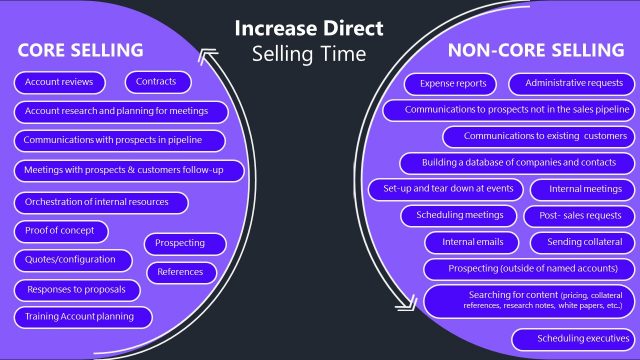
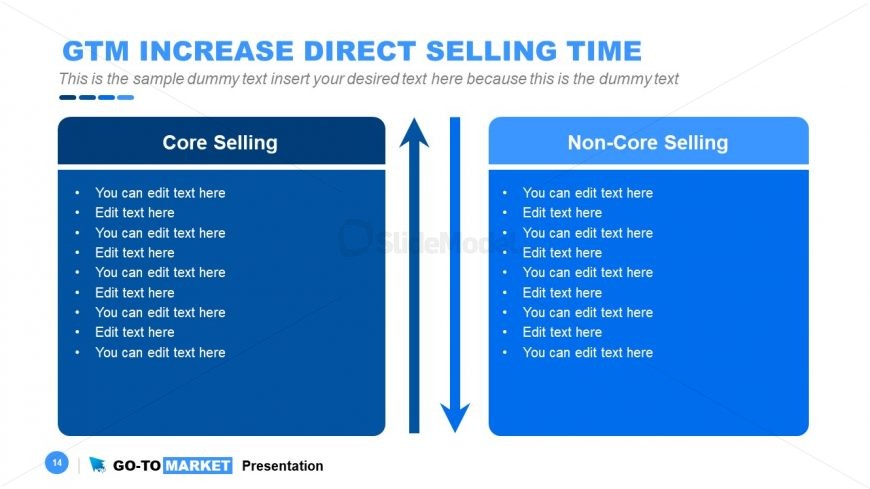
This is a Go to Market slide included in the professional Go to Market Presentation Template that compares Core Selling vs. Non-Core Selling. Both columns have bullet points with placeholder text, these are areas where the presenter can customize the content.
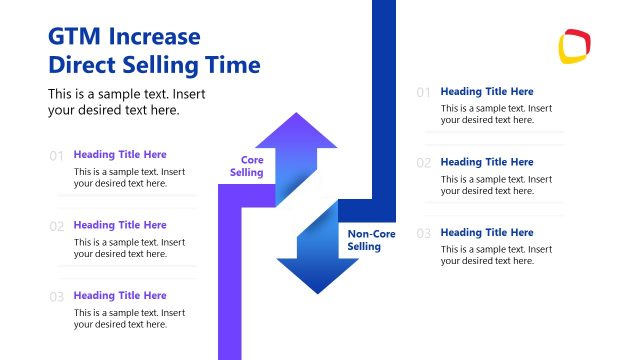
Between the two columns, there are two vertical arrows pointing towards each other. The arrow pointing to the left towards “Core Selling” is blue and the arrow pointing to the right towards “Non-Core Selling” is white, which might imply a flow or transfer between the two concepts.
The purpose of this slide in a Go-to-Market (GTM) presentation is to distinguish between Core Selling and Non-Core Selling activities, allowing the presenter to clarify and emphasize the allocation of time and resources in the sales process.
Core Selling refers to the essential activities that directly contribute to the sales pipeline and revenue generation. These might include lead qualification, customer meetings, proposal creation, and closing sales. The focus on Core Selling in a GTM strategy would be to prioritize and optimize these activities since they are directly linked to the company’s primary goal of generating sales.
Non-Core Selling encompasses activities that support the sales process but do not directly lead to a sale. These can include administrative tasks, internal meetings, training, or market research. While these activities are important, they do not have an immediate impact on revenue and can sometimes detract from time spent on Core Selling activities.
The arrows pointing towards each other represents the need to balance these activities. It can also represent a Go to Market strategy to shift focus and time from Non-Core to Core Selling to increase efficiency and drive sales.
The slide could be used as part of a GTM presentation to initiate discussions on how to streamline sales operations, reduce the time spent on Non-Core activities through automation or delegation, and increase direct selling time to boost sales performance.
This differentiation is crucial in a GTM plan to ensure that the sales team is aligned and focused on the most impactful activities that will lead to successful market entry and revenue growth.
To learn more about Go to Market strategy, we recommend reading the article on what is a Go to Market Strategy, and download the 100% editable Go to market slide templates compatible with PowerPoint and Google Slides.
What’s on This Slide
The layout features two vertical sections labeled 'Core Selling' and 'Non-Core Selling' on the left and right, respectively. Each section contains multiple text placeholders arranged in a list format. The sections are separated by a central vertical arrow indicating a flow or comparison. The background is a solid blue color for both sections, with a lighter blue for the title area. The title is prominently displayed at the top, centered above the sections. The overall composition is symmetrical, emphasizing the comparison between the two selling categories.
How to Use It
This layout serves as a comparison tool, effectively contrasting core and non-core selling strategies. It fits within a presentation sequence focused on sales strategies or operational efficiency. This structure is useful for business scenarios where teams need to evaluate different selling approaches, such as training sessions, strategy meetings, or performance reviews. It allows for clear differentiation and analysis of selling methods, making it suitable for discussions on resource allocation or prioritization.
Text Placeholders & Capacity
Keep your copy within these limits so it fits without resizing. Node body slots can accommodate roughly 8 words each.
| Placeholder | Count | Max characters (approx.) |
|---|---|---|
| Slide title | 1 | 30 |
| Item body | 10 | 40 |
| Footer | 1 | 50 |
Slide Keywords
Download unlimited PowerPoint templates, charts and graphics for your presentations with our annual plan.
DOWNLOADReturn to Go-To-Market PowerPoint Template.