Slide 5 of 10 from Global Network Diagram for PowerPoint
6177-01-global-network-diagram-5
Network Diagram for PowerPoint
- Diagram
- Other
- Process Slide
- 16:9
- 100% Editable
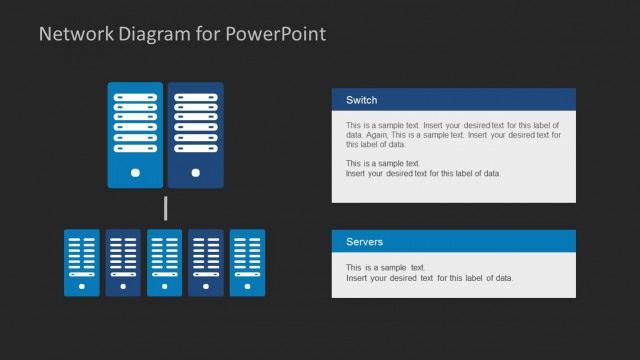
The Network Diagram with Servers and Computers slide from the Global Network Diagram for PowerPoint template offers a clear visual layout ideal for IT infrastructure and cloud computing presentations. This slide uses editable shapes and vector icons to illustrate server-to-computer connections, supporting detailed network architecture discussions within business presentation or pitch deck templates.
What’s on This Slide
The layout features two red server icons positioned centrally at the top, with a horizontal arrangement of four blue computer icons below. Each computer icon is aligned evenly and connected by a horizontal line. To the right, there are three text placeholders stacked vertically, with the top placeholder having a blue background. The text placeholders are aligned to the right of the servers and computers, creating a clear visual hierarchy. The background is light, enhancing the visibility of the icons and text. The overall composition is balanced and organized.
How to Use It
This layout serves as a network diagram, illustrating connections between servers and computers. It fits well in presentations discussing IT infrastructure, cloud computing, or network architecture. This structure can be used to explain how data flows between servers and users, making it suitable for technical discussions or educational purposes. It is effective in showcasing the relationship between different network components in a clear and structured manner.
Text Placeholders & Capacity
Keep your copy within these limits so it fits without resizing. Node labels can hold about 5 words each; body text is more flexible.
| Placeholder | Count | Max characters (approx.) |
|---|---|---|
| Item heading | 4 | 30 |
| Item body | 3 | 150 |
Slide Keywords
Download unlimited PowerPoint templates, charts and graphics for your presentations with our annual plan.
DOWNLOADReturn to Global Network Diagram for PowerPoint.