Slide 3 of 8 from GE Matrix for PowerPoint
6011-01-ge-matrix-3
GE Matrix for PowerPoint Slide
- Diagram
- Matrix Quadrant
- Strategic Analysis Slide
- 16:9
- 100% Editable
The GE Matrix Layout from the GE Matrix for PowerPoint template offers a clear strategic analysis tool using a four-quadrant grid ideal for portfolio management and market positioning. This slide integrates editable shapes and text placeholders to facilitate comparative business unit evaluations, making it a practical choice for corporate presentations and business presentation slide decks focused on strategic planning.
What’s on This Slide
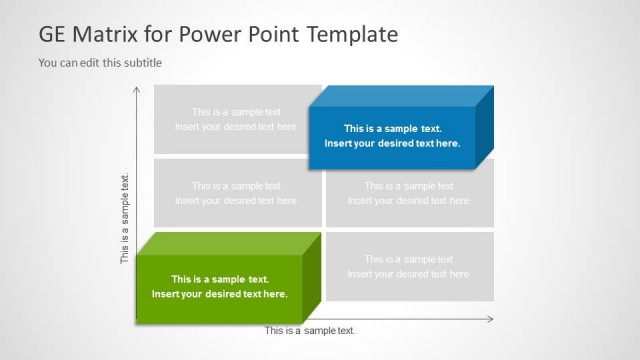
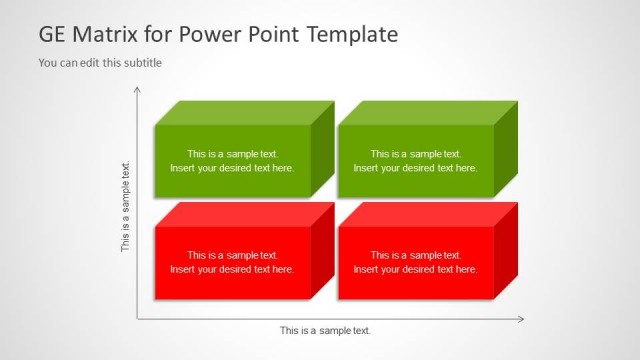
The layout features a grid divided into four quadrants, with two colored boxes positioned in the lower left and the upper right. A red box is located in the middle right quadrant, while a green box occupies the lower left quadrant. Each box contains a text placeholder aligned centrally, allowing for clear visibility of content. The background is light with a subtle gradient, enhancing the overall clarity. The grid structure is defined by clear boundaries, creating a distinct separation between the quadrants. Additional text placeholders are present at the top for a title and subtitle.
How to Use It
This layout serves as a matrix for visualizing strategic positions of various business units or products. It is suitable for presentations that require a comparative analysis of strengths and weaknesses across different categories. This slide can effectively illustrate market positioning or portfolio analysis in business contexts. It fits well in a sequence that discusses strategic planning or resource allocation, following a problem identification slide and leading into a detailed analysis or roadmap.
Text Placeholders & Capacity
Keep your copy within these limits so it fits without resizing. Node body slots can hold about 8 words each.
| Placeholder | Count | Max characters (approx.) |
|---|---|---|
| Slide title | 1 | 30 |
| Subtitle | 1 | 50 |
| Item body | 4 | 40 |
Slide Keywords
Download unlimited PowerPoint templates, charts and graphics for your presentations with our annual plan.
DOWNLOADReturn to GE Matrix for PowerPoint.