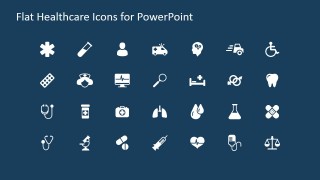
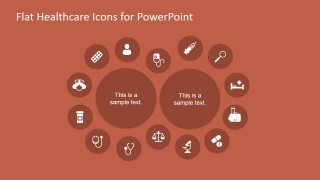
Flat Healthcare Icons for PowerPoint is a creative set of PowerPoint icons for presentations on medical services and healthcare industry. It contains more than 28 PowerPoint icons in the second slide created with shapes that you can use to decorate your medical presentations, sciences, labs or presentations for healthcare industry. Additionally, the third slide has a creative medical & sciences diagram design & layout decorated with PowerPoint icons.
The icon set contains many different illustrations that you can use in medical PowerPoint presentations including stethoscope icons, first aid kit icon, test tube icon for PowerPoint, pills, microscopes, hearts & heart rate illustrations, blood bag & blood drop, ambulance car, hospital bed icons, wheelchair icons, band aid icons and more.
What’s inside this template
Example presentation scenarios
- A hospital marketing manager can introduce a service line by starting with the caduceus cover and then selecting relevant icons from the medical icon grid.
- A clinical educator can explain related care topics by placing symptoms, tests, treatment, and monitoring ideas into the hexagon network diagram.
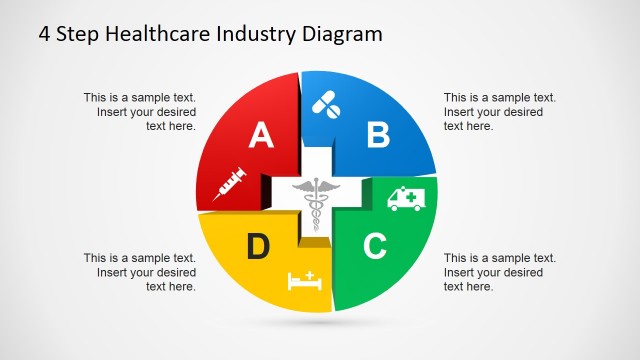
- A healthcare consultant can compare two service bundles or program pillars using the circular icon diagram with two central text circles and surrounding medical icon nodes.
- A life sciences presenter can decorate research or lab slides with test tube, beaker, microscope, syringe, pills, and blood-related vector icons from the grid.
Features
- 100% editable presentation template
- Compatible with Microsoft PowerPoint and Google Slides
- 16:9 aspect ratio slides
- Scalable vector shapes, icons and illustrations
- AI-Ready for Microsoft Copilot and Claude
- Instant access and download
Frequently asked questions
Q: How should a presenter use the icon grid without making the slide look crowded?
A: Treat the icon grid as a selection page, not as a slide to present in full. Choose only the icons that match the message, then move them into the hexagon network or circular diagram. Group icons by function, such as diagnosis, treatment, emergency response, and monitoring, so the audience reads the visual logic quickly.
Q: Who is this template best suited for in a healthcare presentation?
A: This template works best for healthcare teams that need consistent visual language rather than a long report structure. Hospital marketers, clinical educators, medical service managers, and life sciences presenters can use the icons to explain services, care pathways, lab topics, or equipment categories with simple recognizable symbols.
Q: Why do the hexagon and circular layouts help communicate healthcare topics?
A: The hexagon layout suggests a connected system, which fits clinical workflows, departments, or service ecosystems. The circular layout places two central ideas at the center and surrounds them with related medical functions. These metaphors help presenters show relationships instead of listing isolated terms or icons.





Flat Healthcare Icons for PowerPoint
4-slide presentation template with flat healthcare icons, caduceus cover, and medical diagrams
Flat Healthcare Icons for PowerPoint is a 4-slide healthcare icon presentation template for Microsoft PowerPoint and Google Slides. It includes a caduceus cover, 28-icon medical grid, hexagon network diagram, and circular icon diagram for hospital, lab, emergency care, and clinical service presentations. Icons use editable vector PowerPoint shapes.
- Category
- Shapes
- Rating

 Loading...
- Aspect ratio
- 16:9
- Item ID
- 6886-05
- Colors
 Microsoft PowerPoint
 Microsoft Copilot
 Claude for PowerPoint
Other formats supported
Subscribe today and get immediate
access to download our PowerPoint templates.