Slide 9 of 18 from Evidence-Based Insights PowerPoint Template
Finding Deep Dive with Comparative Bar Chart Slide
Finding Deep Dive Slide for Insights Presentation
- Chart
- Bar Vertical
- Evaluation Slide
- 16:9
- 100% Editable
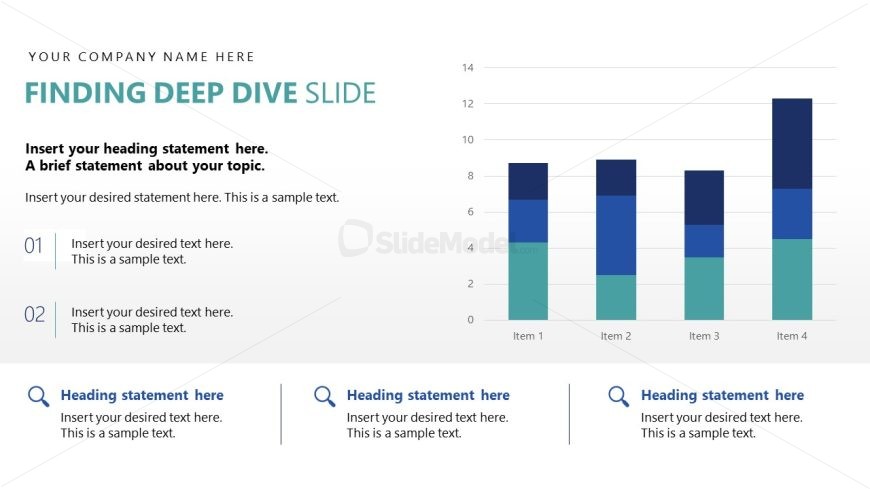
The Finding Deep Dive Slide from the Evidence-Based Insights PowerPoint Template offers a clear layout combining a vertical bar chart with organized text sections, ideal for detailed data analysis and performance reviews. This slide layout supports business presentations by enabling focused trend presentations and comparative evaluations using editable shapes and vector icons for enhanced clarity.
What’s on This Slide
The layout features a bar chart on the right side, displaying four items with stacked segments in varying colors. To the left, there are two text sections, each with numbered labels (01 and 02) above them. Each text section contains placeholders for headings and descriptive text, aligned to the left. Below these sections, there are three additional placeholders for headings and text, arranged horizontally. The overall composition is balanced, with the chart visually dominating the right side and text content organized clearly on the left. The background is light, enhancing readability.
How to Use It
This layout serves as a deep dive analysis slide, suitable for presenting detailed insights or findings. It fits well in a sequence following introductory or context-setting slides, allowing for a focused discussion on specific data points. This structure is ideal for business presentations that require a breakdown of trends, performance metrics, or comparative analysis. It can be used in scenarios such as quarterly reviews, strategic planning sessions, or project updates where data visualization is essential.
Text Placeholders & Capacity
Keep your copy within these limits so it fits without resizing. Body slots can hold roughly 15-20 words each.
| Placeholder | Count | Max characters (approx.) |
|---|---|---|
| Slide title | 1 | 30 |
| Body paragraph | 2 | 100 |
| Item heading | 4 | 10 |
| Item body | 4 | 50 |
| Callout | 3 | 50 |
Slide Keywords
Download unlimited PowerPoint templates, charts and graphics for your presentations with our annual plan.
DOWNLOADReturn to Evidence-Based Insights PowerPoint Template.