Slide 6 of 10 from Corporate Training PowerPoint Template
Activity Slide – Corporate Training PPT Layout
Activity Training Overview Slide
- Diagram
- Arrow Sequence
- Process Slide
- 16:9
- 100% Editable
The Activity Training Overview slide from the Corporate Training PowerPoint Template offers a clear, sequential layout ideal for outlining multiple training activities in business presentations. This slide template uses editable shapes and vector icons to visually connect distinct training sections, making it suitable for workshops, corporate training sessions, or educational modules. Its structured flow supports effective communication of complex processes within a slide deck or pitch deck template.
What’s on This Slide
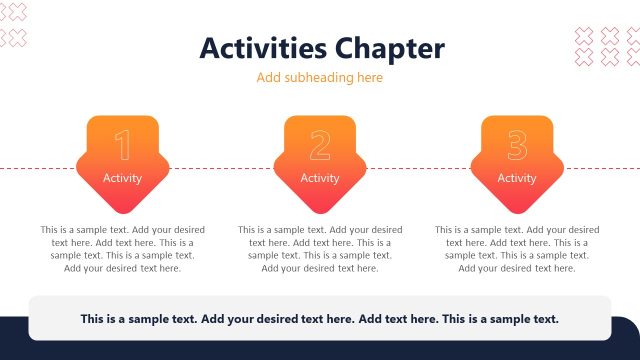
The layout features a top-centered title labeled 'Activity Slide' in bold. Below, there is a descriptive text placeholder aligned to the left, providing space for additional information. A horizontal line runs across the slide, connecting three colored sections below. Each section is rectangular, with the first two in dark shades and the last in a lighter hue. Each section contains a title placeholder for 'Activity Training #1', 'Activity Training #2', and 'Activity Training #3', respectively, along with corresponding text placeholders. The sections are visually distinct and grouped together, creating a clear flow from left to right.
How to Use It
This layout serves as a sequential activity overview, ideal for presenting multiple training activities in a structured manner. It fits well after introductory content and before a summary or conclusion slide. This format is useful in corporate training sessions, workshops, or educational modules where multiple activities or topics need to be outlined clearly. Each section can be filled with specific details about the training activities, making it easy for the audience to follow along.
Text Placeholders & Capacity
Keep your copy within these limits so it fits without resizing. Node slots can hold detailed descriptions, roughly 30 words each.
| Placeholder | Count | Max characters (approx.) |
|---|---|---|
| Slide title | 1 | 30 |
| Body paragraph | 1 | 200 |
| Item heading | 3 | 30 |
| Item body | 3 | 200 |
Slide Keywords
Download unlimited PowerPoint templates, charts and graphics for your presentations with our annual plan.
DOWNLOADReturn to Corporate Training PowerPoint Template.