Slide 17 of 24 from Training Session PowerPoint Template
94304-01-training-session-powerpoint-template-16×9-17
Activities Chapter Slide for Training Session
- Text Layout
- List Blocks
- Context Slide
- 16:9
- 100% Editable
The Activities Chapter slide from the Training Session PowerPoint Template offers a clear, horizontal layout ideal for organizing workshop activities and training sessions. This slide layout includes editable shapes and text placeholders that help present multiple tasks with a structured flow, making it suitable for educational presentations and corporate training slide decks.
What’s on This Slide
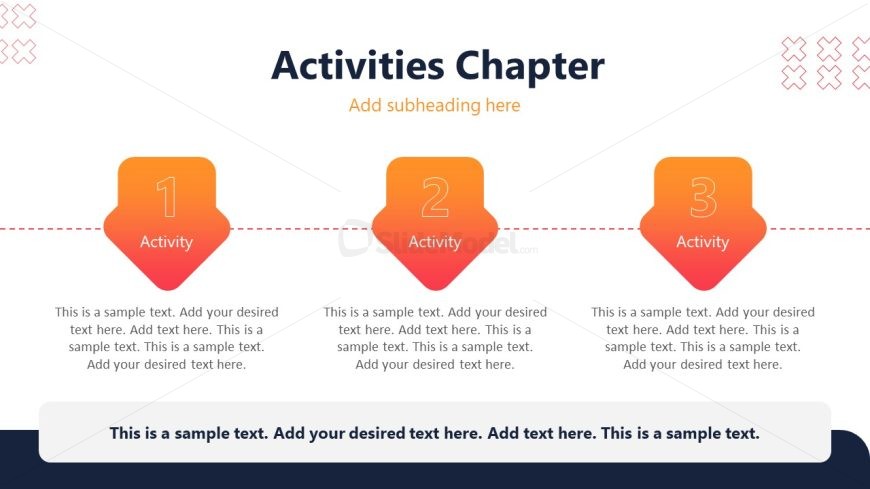
The slide features a horizontal layout with three distinct activity sections. Each section contains a rounded rectangular shape at the top, labeled with a number and the word 'Activity.' Below each shape, there is a text placeholder for additional descriptions, aligned centrally. The sections are separated by a dashed line, creating a visual flow from left to right. At the bottom, a larger text placeholder spans the width of the slide, allowing for a summary or additional notes. The background is a gradient transitioning from dark to light.
How to Use It
This layout serves as a structured overview for multiple activities within a training session. It fits well after introductory content, guiding participants through specific tasks or exercises. Ideal for scenarios where clear segmentation of activities is needed, this format can be used in workshops, seminars, or educational presentations to enhance engagement and clarity. It allows for easy adaptation to various training topics and can be used to summarize key points.
Text Placeholders & Capacity
Keep your copy within these limits so it fits without resizing. Node body slots can hold roughly 30-40 words each, while the body paragraph is tighter with about 40-50 words possible.
| Placeholder | Count | Max characters (approx.) |
|---|---|---|
| Slide title | 1 | 30 |
| Item heading | 3 | 15 |
| Item body | 3 | 150 |
| Body paragraph | 1 | 200 |
Slide Keywords
Download unlimited PowerPoint templates, charts and graphics for your presentations with our annual plan.
DOWNLOADReturn to Training Session PowerPoint Template.