Slide 3 of 14 from Consulting Case Study PowerPoint Template
Client Background PPT Presentation Slide
Client Background Slide for Consulting Case Study
- Text Layout
- Other
- Context Slide
- 16:9
- 100% Editable
The Client Background Overview slide from the Consulting Case Study PowerPoint Template provides a structured layout ideal for presenting detailed client context. This slide template includes editable shapes and vector icons arranged to highlight key client information, making it suitable for business presentations and consulting pitch decks that require clear background setting before project analysis.
What’s on This Slide
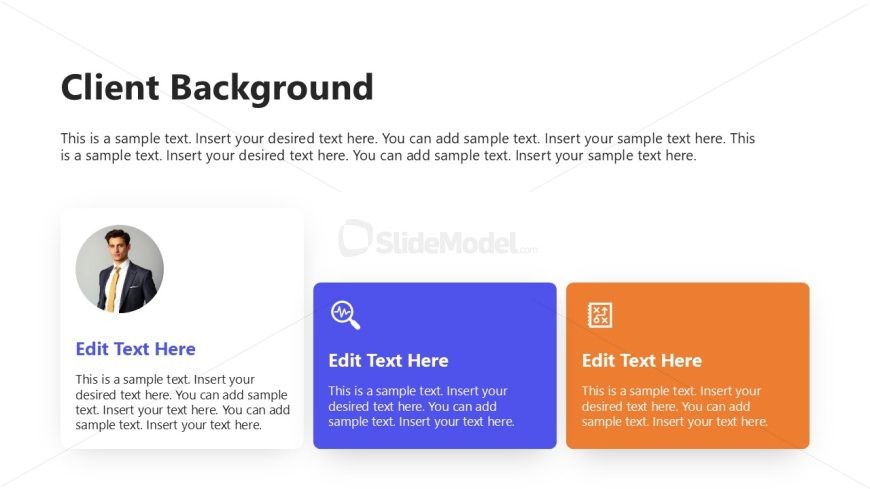
The layout features a prominent title at the top center stating 'Client Background.' Below, there is a large text placeholder for a descriptive paragraph, aligned left. Three rectangular boxes are positioned in a horizontal row beneath the text. The first box on the left contains a circular image placeholder with a person's photo, accompanied by a title and body text placeholder. The middle box is blue with an icon and text placeholders, while the right box is orange, also featuring an icon and text placeholders. The overall design uses a clean, organized structure with a light background.
How to Use It
This layout serves as a client background overview, suitable for presenting key information about a client in a consulting context. It fits well after an executive summary and before detailing project objectives. It can be used to summarize client history, challenges, or relevant data. This structure is beneficial for business presentations where understanding the client's context is crucial for subsequent analysis or recommendations.
Text Placeholders & Capacity
Keep your copy within these limits so it fits without resizing. Body slots can hold approximately 50-60 words each.
| Placeholder | Count | Max characters (approx.) |
|---|---|---|
| Slide title | 1 | 30 |
| Body paragraph | 1 | 300 |
| Item heading | 3 | 30 |
| Item body | 3 | 300 |
Slide Keywords
Download unlimited PowerPoint templates, charts and graphics for your presentations with our annual plan.
DOWNLOADReturn to Consulting Case Study PowerPoint Template.