Slide 2 of 5 from Compass Shape for PowerPoint
Blue Background Compass Shape for PowerPoint
Compass Shape with Adjustable Needle for Presentations
- Diagram
- Other
- Concept Explanation Slide
- 16:9
- 100% Editable
The Compass Shape with Adjustable Needle slide from the Compass Shape for PowerPoint template offers a clear visual tool for strategic planning and goal-setting discussions. This slide uses editable shapes and vector icons to highlight directional concepts, making it a practical choice for business presentations and navigation workshops. Its design supports dynamic adjustments to the compass needle, enhancing engagement in corporate presentation slide decks.
About This Slide
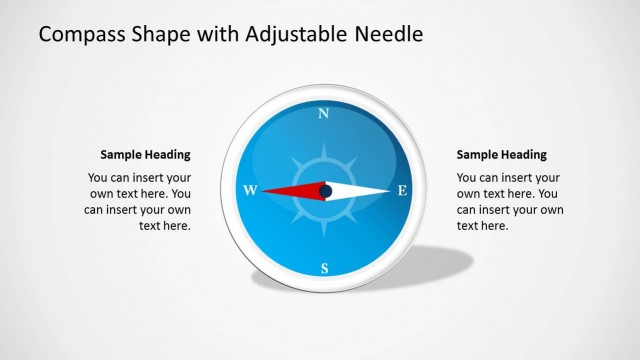
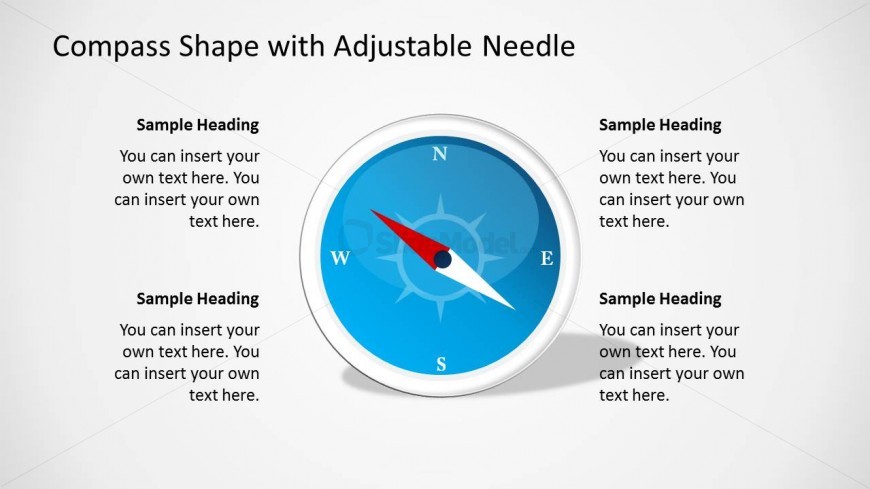
This Slide provides a blue background compass shape with its arrow between north west and south east. The compass shape is a very popular business metaphor applied in contexts of new directions or new roads to success.
The shape is created 100% with PowerPoint objects, allowing the user to fully adapt the shape appearance to the template theme used by the presenter. The 3D effects are created with modern material design techniques.
Impress your audience with professional PowerPoint clipart that appeal to executives.
What’s on This Slide
The slide features a central compass graphic with cardinal directions labeled: N, E, S, and W. The compass needle points towards the North and is designed to be adjustable. Surrounding the compass are four text placeholders, each positioned at the top, bottom, left, and right of the compass. These placeholders are aligned to allow for easy insertion of headings and additional text. The background is a light gradient, enhancing the visibility of the compass and text elements. The overall layout is symmetrical, emphasizing the compass as the focal point.
How to Use It
This layout serves as a visual representation of direction, suitable for presentations discussing navigation, goals, or strategic planning. It fits well after an introductory slide, providing context before diving into specific topics. The adjustable needle feature allows for dynamic presentations, where the direction can symbolize different strategies or objectives. This slide is ideal for business meetings, educational settings, or workshops focused on orientation and decision-making processes.
Text Placeholders & Capacity
Keep your copy within these limits so it fits without resizing. Node labels can accommodate roughly 10-15 words each.
| Placeholder | Count | Max characters (approx.) |
|---|---|---|
| Slide title | 1 | 30 |
| Item heading | 4 | 50 |
| Item body | 4 | 100 |
Slide Keywords
Download unlimited PowerPoint templates, charts and graphics for your presentations with our annual plan.
DOWNLOADReturn to Compass Shape for PowerPoint.