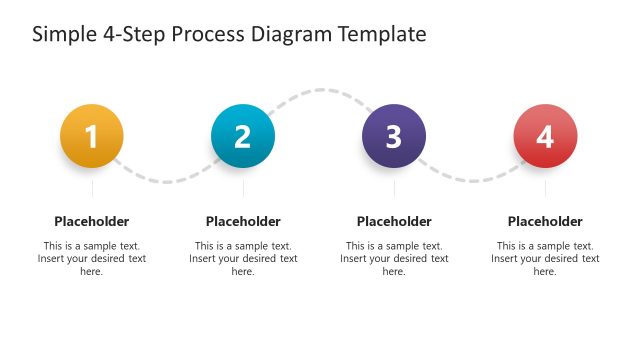
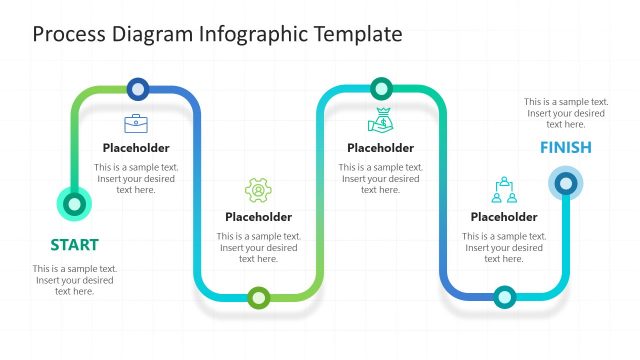
The Cloud Migration Process Diagram Template for PowerPoint presents a four-step migration system. This template is ideal for outlining a cloud migration project step-by-step.
The cloud migration process is a crucial component of digital transformation. This process includes accessing an online infrastructure that the company does not directly handle. The cloud service providers manage all the services of data storage, networking facilities, and computing activities. Each element in the diagram has a different heading for the presenter’s specific information to be completed. The process diagram has four significant steps:
- Access: It represents the first step towards shifting your on-premises software and other databases to an online cloud computing environment. This step will include setting up access to the cloud computing environment.
- Plan: This heading stands for presenting a short-hand plan that professionals will follow for setting up a cloud computing platform
- Execute: This carries the critical points about practically implementing the plan. It will include details about the shifting of files, applications, and databases.
- Operating and Optimize: It contains the operational management and optimization protocols of the newly established clout setup.
The cloud migration diagram shows four columns to showcase each process segment. These columns include clipart icons that represent the topic visually.
The PowerPoint template is a single pager and has two background color variations. The presenter can customize this template and display the steps applied in the cloud migration process. It will be helpful for a short yet comprehensive explanation of a complete migration process. Professionals, business personnel, marketing teams can put this template to present their cloud computing models. Educators can also apply this template to make the students understand the concept of cloud computing.
What’s inside this template
Example presentation scenarios
- An IT project manager can use the four-column process diagram to brief executives on the planned cloud migration path from assessment through optimization.
- A cloud consultant can use the numbered step markers and IT icons to explain a migration proposal during a client discovery or kickoff meeting.
- A software development lead can use the Plan and Execute columns to show how applications, files, and databases will move into a cloud environment.
- A technology educator can use the light-background version to teach students how cloud migration phases connect in a simple operational sequence.
Features
- 100% editable presentation template
- Compatible with Microsoft PowerPoint and Google Slides
- 16:9 aspect ratio slides
- Scalable vector shapes, icons and illustrations
- AI-Ready for Microsoft Copilot and Claude
- Instant access and download
Frequently asked questions
Q: How should I present the four migration steps without making the slide feel too technical?
A: Use each column as one decision point in the migration story. Start with the business reason for Assess, then describe the Plan as a short method, the Execute step as the main delivery action, and Operating & Optimize as ongoing management. Keep each body text area to one clear outcome or responsibility.
Q: Who is this template best suited for in a cloud migration discussion?
A: This template fits presenters who need a fast, high-level explanation for mixed business and technical audiences. IT managers, consultants, and cloud architects can use it when stakeholders need to understand the migration sequence before seeing a detailed schedule, architecture map, risk register, or budget breakdown.
Q: Why does the design use four separate cards with icons instead of one continuous flow line?
A: The card structure makes each stage feel like a distinct workstream with its own deliverables. The numbered circles preserve sequence, while the document, checklist, rocket, and gears icons act as memory cues. This helps audiences separate planning logic from implementation and post-migration optimization.


Cloud Migration Process Diagram Template for PowerPoint
2-slide cloud migration presentation template with four-step process diagram and vector IT icons
This is a 2-slide cloud migration process diagram template for explaining Assess, Plan, Execute, and Operating & Optimize steps in Microsoft PowerPoint and Google Slides. It includes light and blue 16:9 versions with four-column process cards, numbered milestone markers, and vector icons for assessment, planning, launch, and optimization.
- Category
- Process Diagrams
- Rating

 Loading...
- Aspect ratio
- 16:9
- Item ID
- 21258-01
- Colors
 Microsoft PowerPoint
 Microsoft Copilot
 Claude for PowerPoint
Other formats supported
Subscribe today and get immediate
access to download our PowerPoint templates.