Slide 6 of 13 from Client Onboarding PowerPoint Template
Onboarding Goals PPT Slide – Client Onboarding Presentation
Onboarding Goals Process Slide
- Diagram
- Process Flow
- Process Slide
- 16:9
- 100% Editable
The Onboarding Goals Process slide from the Client Onboarding PowerPoint Template presents a clear, step-by-step flow ideal for client onboarding and training sessions. This slide layout uses editable shapes and vector icons arranged horizontally to illustrate sequential steps, making it a practical addition to business presentation slide decks focused on structured project kick-offs.
What’s on This Slide
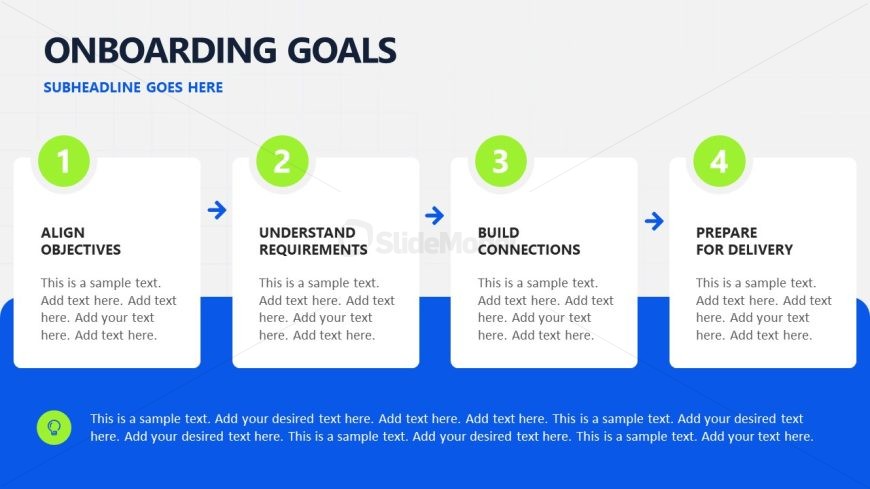
The layout features a horizontal flow of four distinct sections, each containing a circular icon and a text box. The sections are labeled 1 to 4, with the first section at the far left and the fourth at the far right. Each text box is aligned centrally beneath its corresponding icon, with a connecting arrow pointing to the next section. A blue background occupies the lower portion of the slide, while a grid pattern is visible in the upper section. Text placeholders are present in each section for titles and descriptions, with the main title positioned at the top center.
How to Use It
This layout serves as a step-by-step process overview, ideal for outlining onboarding goals in a business context. It fits well after introductory slides, providing a clear sequence of actions. Suitable scenarios include client onboarding presentations, training sessions, or project kick-offs where structured guidance is necessary. The sequential structure aids in emphasizing the importance of each step in the onboarding process.
Text Placeholders & Capacity
Keep your copy within these limits so it fits without resizing. Node body slots can hold about 15-20 words each.
| Placeholder | Count | Max characters (approx.) |
|---|---|---|
| Slide title | 1 | 30 |
| Item heading | 4 | 25 |
| Item body | 4 | 100 |
| Callout | 1 | 200 |
Slide Keywords
Download unlimited PowerPoint templates, charts and graphics for your presentations with our annual plan.
DOWNLOADReturn to Client Onboarding PowerPoint Template.