Slide 5 of 14 from Key Customer Onboarding PowerPoint Template
What to Expect from Onboarding – Key Customer Onboarding Slide Deck
Onboarding Timeline Overview Slide
- Diagram
- Timeline Horizontal
- Process Slide
- 16:9
- 100% Editable
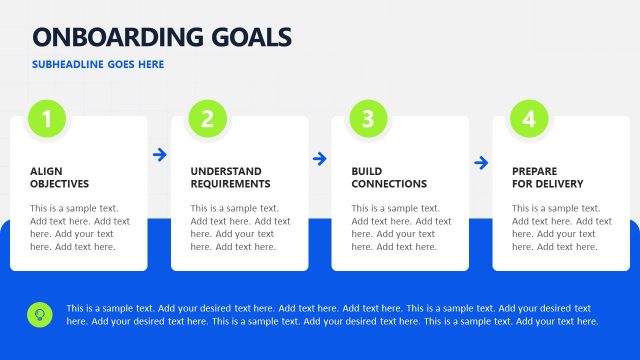
The Onboarding Timeline Overview slide from the Key Customer Onboarding PowerPoint Template presents a clear horizontal timeline ideal for illustrating weekly onboarding phases. This slide layout is designed for business presentations and pitch deck templates, featuring editable shapes to customize each onboarding stage, making it suitable for customer training timelines and project kickoff meetings.
What’s on This Slide
The layout features a horizontal arrangement of four distinct sections representing onboarding weeks. Each section is a trapezoidal shape with a dark blue header indicating the week number, followed by an orange background for the main content area. The first three sections are labeled 'Configure,' 'Train Teams,' and 'Launch,' while the last section is labeled 'Optimize.' Each section contains a text placeholder for additional details, aligned centrally within the orange area. The title at the top is bold and large, with a subheading placeholder beneath it, creating a clear visual hierarchy.
How to Use It
This layout serves as a timeline for onboarding activities, detailing weekly tasks and expectations. It fits well after introductory slides and provides a clear overview of the onboarding process. This structure is useful in business presentations for customer success teams, illustrating a step-by-step onboarding journey. It can be used to communicate timelines effectively, ensuring clarity in customer engagement and training processes.
Text Placeholders & Capacity
Keep your copy within these limits so it fits without resizing. Node body slots can hold about 20 words each.
| Placeholder | Count | Max characters (approx.) |
|---|---|---|
| Slide title | 1 | 40 |
| Item heading | 4 | 20 |
| Item body | 4 | 100 |
| Subtitle | 1 | 40 |
Slide Keywords
Download unlimited PowerPoint templates, charts and graphics for your presentations with our annual plan.
DOWNLOADReturn to Key Customer Onboarding PowerPoint Template.