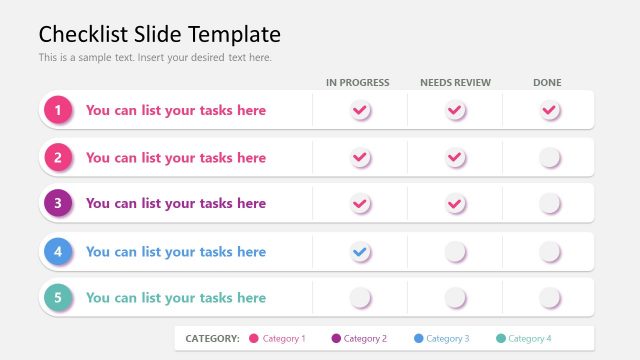
Slide 7 of 8 from Checklist Slide Template for PowerPoint
Checklist Layout with Nine Rows – PowerPoint Template
Checklist Slide with Task Status Indicators
- Diagram
- Other
- Process Slide
- 16:9
- 100% Editable
What’s on This Slide
The layout features a checklist format with nine rows for tasks. Each row has a number on the left, followed by a placeholder for task descriptions. To the right, there are four columns labeled 'In Progress,' 'Needs Review,' and 'Done,' each containing circular status indicators in different colors. The background is dark, providing contrast for the text and icons. The title is positioned at the top center, with a subtitle placeholder below it. The overall composition is structured for clarity and organization.
How to Use It
This layout serves as a task management tool, allowing users to track the status of various activities. It fits well in presentations focused on project management, team workflows, or personal task lists. It can be used to visually represent progress and categorize tasks effectively. This slide is particularly useful in business settings where task completion tracking is essential, such as project updates or team meetings.
Text Placeholders & Capacity
Keep your copy within these limits so it fits without resizing. Node slots can accommodate brief task descriptions, roughly 8-10 words each.
| Placeholder | Count | Max characters (approx.) |
|---|---|---|
| Slide title | 1 | 35 |
| Item heading | 9 | 30 |
| Item body | 9 | 50 |
| Callout | 9 | 10 |
| Footer | 1 | 30 |
Slide Keywords
Download unlimited PowerPoint templates, charts and graphics for your presentations with our annual plan.
DOWNLOADReturn to Checklist Slide Template for PowerPoint.