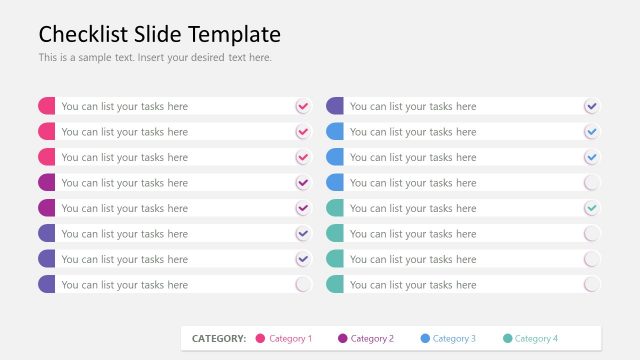
Slide 6 of 8 from Checklist Slide Template for PowerPoint
Two Columns Editable Checklist Slide for Presentation
Checklist Slide with Categories for Tasks
- Diagram
- Other
- Process Slide
- 16:9
- 100% Editable
What’s on This Slide
The layout consists of a dark background with multiple rows for task items. Each row features a circular checkbox icon on the left, colored in pink, blue, or green, indicating different categories. To the right of each icon is a text placeholder for listing tasks, aligned left. The overall structure includes six rows, each containing a checkbox and a corresponding text placeholder. At the bottom, there is a category label area with colored indicators matching the icons above. The visual hierarchy emphasizes the checkbox icons and task text equally.
How to Use It
This layout serves as a task checklist, ideal for personal management or project planning. It fits well in a presentation sequence after introducing objectives or tasks. Use it to track progress on various categories of tasks. This slide is suitable for team meetings, project updates, or personal planning sessions. It allows for clear visual differentiation between task categories, making it effective for organizing multiple tasks within a single view.
Text Placeholders & Capacity
Keep your copy within these limits so it fits without resizing. Each task slot can hold about 30 characters comfortably.
| Placeholder | Count | Max characters (approx.) |
|---|---|---|
| Item body | 6 | 30 |
Slide Keywords
Download unlimited PowerPoint templates, charts and graphics for your presentations with our annual plan.
DOWNLOADReturn to Checklist Slide Template for PowerPoint.