Slide 1 of 8 from Checklist Slide Template for PowerPoint
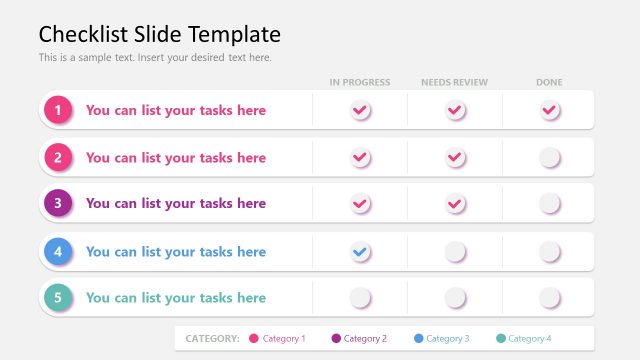
Checklist Slide Template with Five Rows
Checklist Slide with Task Status Indicators
- Diagram
- Other
- Process Slide
- 16:9
- 100% Editable
The Task List with Status Indicators slide from the Checklist Slide Template for PowerPoint provides a clear visual format for tracking project tasks and team progress. This slide layout is designed for effective task management in business presentations, featuring editable shapes and status indicators that help organize and communicate task completion stages. It suits project tracking, team meeting agendas, and personal task management within professional slide decks.
What’s on This Slide
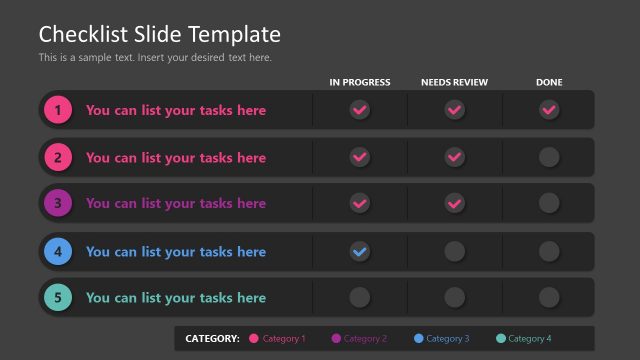
The layout features a checklist with five rows, each containing a task placeholder. The left side displays numbered circles for task identification, while the right side has four columns labeled 'In Progress,' 'Needs Review,' and 'Done,' with circular status indicators. Each row has a text placeholder for task descriptions, aligned to the left. The background is light gray, providing contrast to the colorful status indicators. The visual hierarchy emphasizes the task numbers and status indicators, creating a clear structure for task management.
How to Use It
This layout serves as a task management checklist, ideal for tracking project progress or personal tasks. It fits well at the beginning of a presentation to outline key tasks or objectives. In business scenarios, it can be used in team meetings to review task statuses or in project management to assign responsibilities. This layout is effective for organizing tasks in a clear, visual format, helping teams stay aligned on project goals.
Text Placeholders & Capacity
Keep your copy within these limits so it fits without resizing. Node body slots can hold about 50 characters each.
| Placeholder | Count | Max characters (approx.) |
|---|---|---|
| Item heading | 5 | 30 |
| Item body | 5 | 50 |
| Callout | 4 | 10 |
Slide Keywords
Download unlimited PowerPoint templates, charts and graphics for your presentations with our annual plan.
DOWNLOADReturn to Checklist Slide Template for PowerPoint.