Slide 2 of 7 from Break-Even Point Curves for PowerPoint
Break Even PowerPoint Template with Curve
Break-Even Point Diagram for PowerPoint
- Diagram
- Other
- Concept Explanation Slide
- 16:9
- 100% Editable
The Break-Even Point Diagram slide from the Break-Even Point Curves for PowerPoint template visually explains cost management and profitability thresholds using editable shapes and clear vector icons. It is ideal for financial analysis presentations and business presentation slide decks that require precise illustration of revenue, costs, and profit relationships.
About This Slide
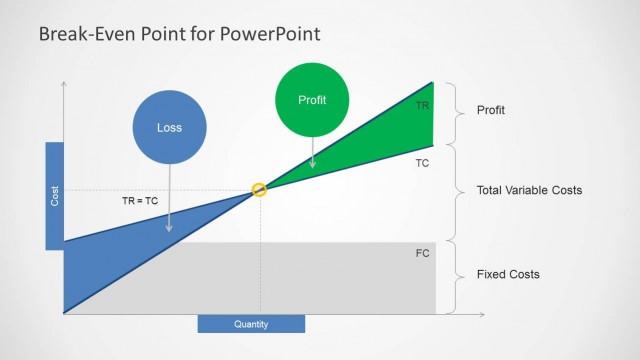
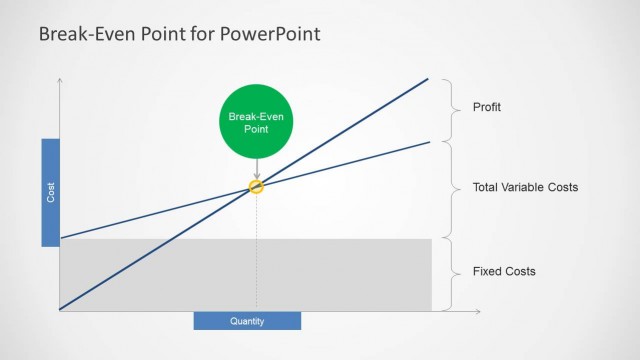
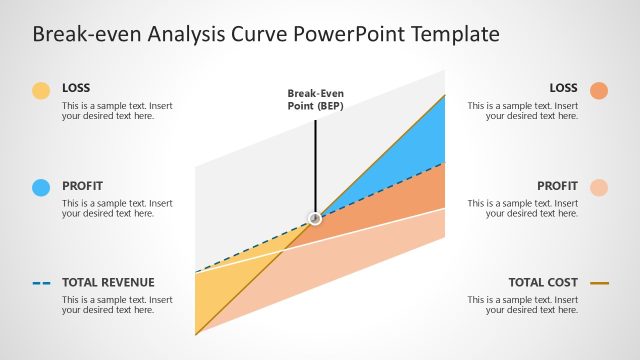
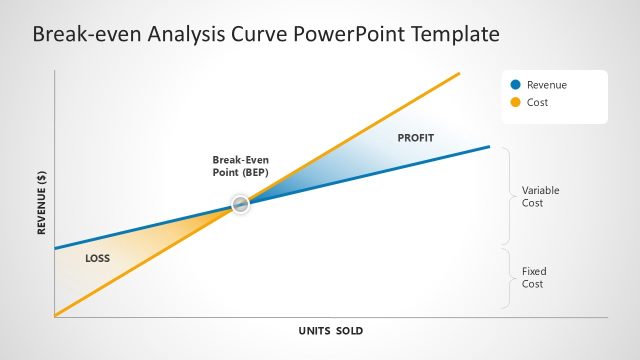
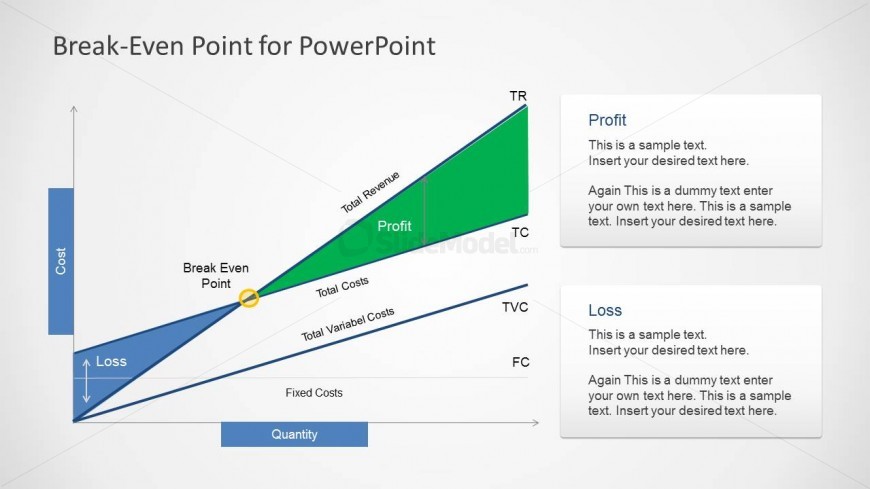
Break Even PowerPoint Template with Curve is a PPT presentation slide design showing an awesome break-even curve that you can use to represent your break-even point in PowerPoint. The slide design shows Total Revenue, Total Costs and Variable Costs.
What’s on This Slide
The slide features a break-even point diagram with a triangular profit area and a downward sloping loss area. The x-axis represents quantity, while the y-axis indicates cost. Key labels include 'Total Revenue,' 'Total Costs,' 'Total Variable Costs,' and 'Fixed Costs.' Two text placeholders are positioned on the right side, labeled 'Profit' and 'Loss,' with sample text indicating where user content can be inserted. The diagram utilizes a green color for profit and blue for loss, creating a clear visual distinction. The overall layout is structured to emphasize the break-even point.
How to Use It
This layout serves as a visual representation of the break-even analysis, illustrating the relationship between costs, revenue, and profit. It fits within a presentation sequence that discusses financial performance, cost management, or economic analysis. This slide is suitable for business scenarios such as financial forecasting, budgeting discussions, or educational purposes in economics courses. It effectively communicates the concept of profitability and loss thresholds, making it a valuable tool for analysts and educators.
Text Placeholders & Capacity
Keep your copy within these limits so it fits without resizing. Text slots allow for concise entries, roughly 15-20 words each.
| Placeholder | Count | Max characters (approx.) |
|---|---|---|
| Slide title | 1 | 30 |
| Item heading | 5 | 20 |
| Item body | 2 | 100 |
Slide Keywords
Download unlimited PowerPoint templates, charts and graphics for your presentations with our annual plan.
DOWNLOADReturn to Break-Even Point Curves for PowerPoint.