Showcase the detailed overview of your company’s brand outlines using our Brand Guidelines PowerPoint Template. A brand refers to a distinctive product identity that creates a prominent perception of the product in consumers, so that companies can get a competitive advantage. A brand differs from a simple logo or company name in terms of the overall customer experience, stakeholder experience, brand visual elements, colors, logo, and customer satisfaction.
Organizations tend to build brands to provide their customers a unique shopping experience, ultimately enabling them to return and shop again. A brand ensures consistent colors, icons, styles, and tone of voice. We have created this minimal and attractive PPT template to help professionals share their brand identity features with their stakeholders. Users can discuss their brand features before launching an e-commerce business or a SaaS product with their colleagues and partners.
The Brand Guidelines PowerPoint Template has 100% editable PowerPoint features compatible with all PowerPoint versions. The cover slide shows the title of the presentation and the company logo. Next, professionals can highlight the vision, mission, and brand value. Professionals can share the story in a vertical timeline diagram in the brand story slide.
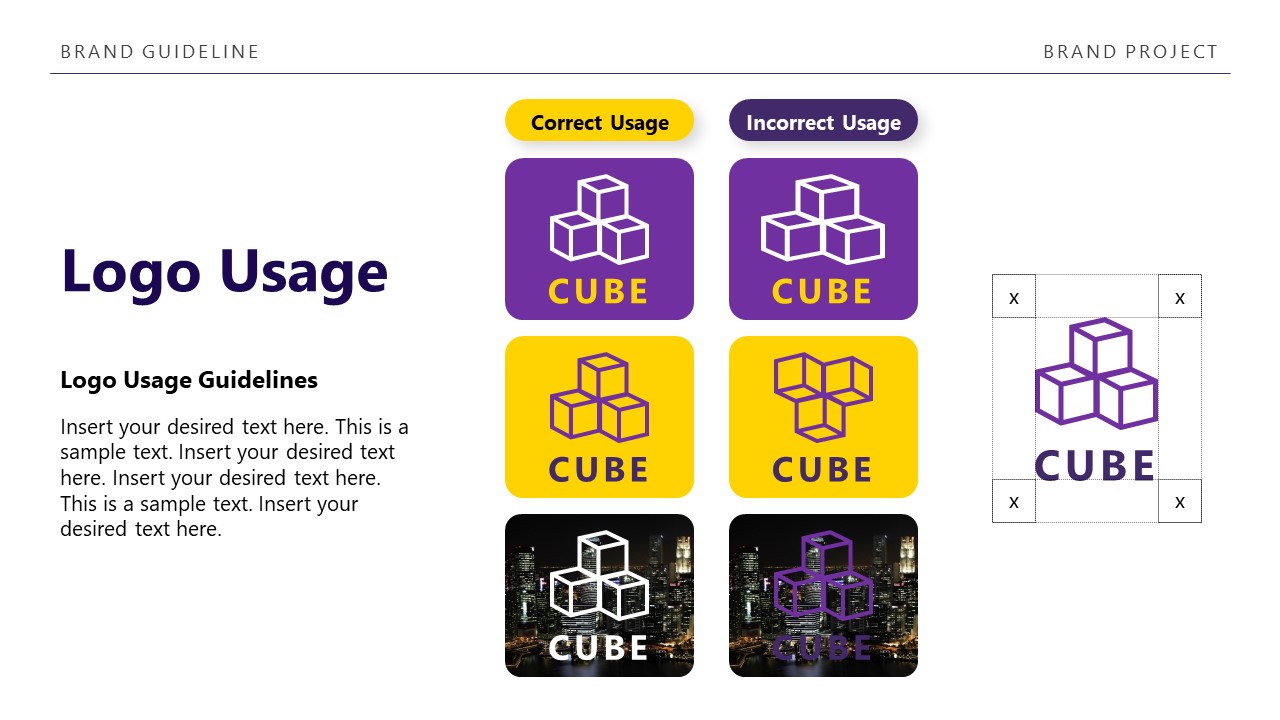
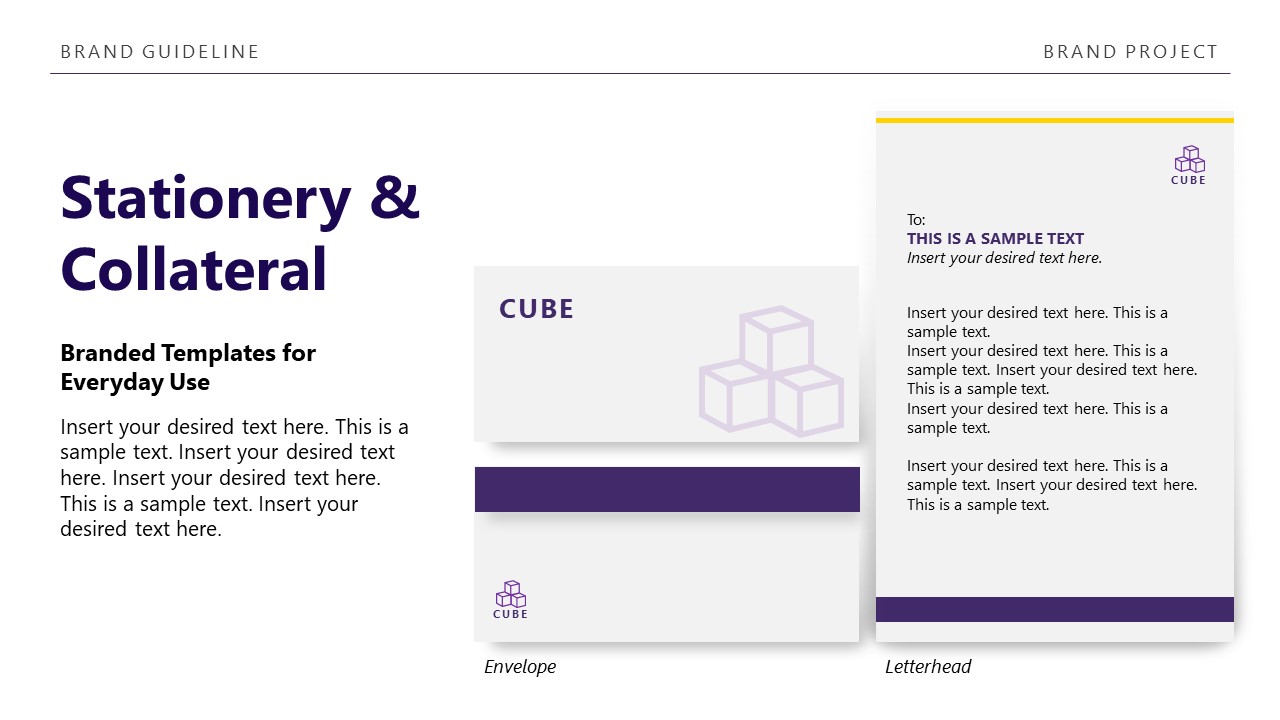
This brand guidelines PPT template is useful for marketers, designers, and other experts to know the company logo, its correct and incorrect versions, and the allowed variations of the brand logo. The same goes for brand colors across multiple platforms like websites, social media, press releases, product packaging, etc. Furthermore, we have slides showing the information about imagery style, iconography, typography, tone of voice, brand applications, stationery, and collateral.
Presenters can edit the template to showcase their brand features comprehensively. You can mention the corresponding hex codes, brand voice, type of tone, and everything related to their brand.
Download our brand guidelines presentation template and personalize it for your executive presentations. Alternatively, you can download other brand management PPT templates and brand slides for PowerPoint & Google Slides.
What’s inside this template
Example presentation scenarios
- A brand manager can use the logo usage matrix and logo variations slide to align internal teams before a new identity is released.
- A creative director can present the color palette, typography table, and iconography guidance to designers who must apply the brand consistently across campaigns.
- An agency account lead can use the brand story timeline, imagery style slide, and digital guidelines slide to brief a client team on visual direction.
- A marketing operations lead can use the stationery, social media, and approval process slides to define how brand assets move from request to release.
Features
- 100% editable presentation template
- Compatible with Microsoft PowerPoint
- 16:9 aspect ratio slides
- Scalable vector shapes, icons and illustrations
- AI-Ready for Microsoft Copilot and Claude
- Instant access and download
Frequently asked questions
Q: How should a presenter sequence the brand rules so the audience understands what matters most?
A: Start with the brand foundation slides: vision, mission, values, and story. Then move into rules that people will reuse every day, such as logo usage, color palette, typography, imagery, and iconography. End with applications, social media, stationery, approval process, and contacts so the audience leaves with both principles and next steps.
Q: Who is this template best suited for during a brand rollout?
A: This template fits brand managers, creative directors, marketing leads, and agency teams that need one shared explanation of identity rules. It is especially useful when non-design stakeholders must understand practical examples, such as correct logo use, approved photography, social media guidance, stationery, and the approval checklist.
Q: Why does the cube identity motif help communicate the guideline system?
A: The repeated cube mark gives the deck a clear reference brand while showing how an identity behaves across formats. Seeing the same mark on the cover, logo rules, business card, digital mockup, stationery, and closing slide helps the audience connect abstract rules to real branded materials.






Brand Guidelines PowerPoint Template
16-slide PowerPoint presentation template for brand guidelines, logo usage, color palettes, and typography
The Brand Guidelines PowerPoint Template is a 16-slide Microsoft PowerPoint deck for documenting brand standards. It includes a cover, vision and values slide, brand story timeline, logo usage matrix, color palette, typography table, iconography guidance, tone of voice panels, application mockups, and approval/contact close for marketing, design, and leadership teams.
- Category
- Business PowerPoint Templates
- Rating

 Loading...
- Aspect ratio
- 16:9
- Item ID
- 94089-01
- Colors
 Microsoft PowerPoint
 Microsoft Copilot
 Claude for PowerPoint
Other formats supported
Subscribe today and get immediate
access to download our PowerPoint templates.