Slide 4 of 7 from Balanced Scorecard Template for PowerPoint
Financial Balanced Scorecard Slide Design
Financial Overview Table in Balanced Scorecard
- Table
- Data Table
- Strategic Analysis Slide
- 16:9
- 100% Editable
The Financial Overview Table slide from the Balanced Scorecard Template for PowerPoint offers a clear layout for presenting financial objectives, KPIs, and strategic initiatives. Designed for business presentations, this slide template supports effective financial performance reviews and KPI tracking with editable slides that enhance stakeholder communication in corporate presentations.
About This Slide
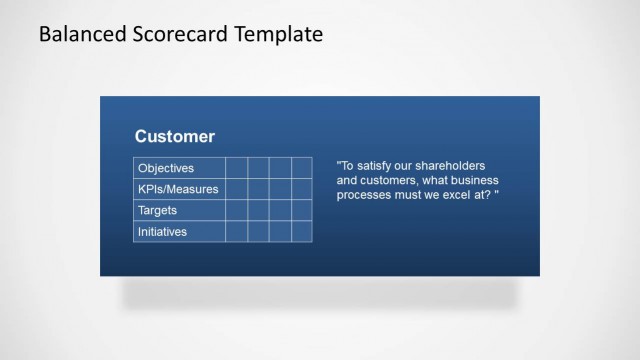
Financial Balanced Scorecard Slide Design with space to enter the Objectives, Initiatives, KPI and Targets.
What’s on This Slide
The slide features a green rectangular area occupying the upper half, labeled 'Financial.' Below this, a table is structured with four rows and two columns. The left column lists 'Objectives,' 'KPIs/Measures,' 'Targets,' and 'Initiatives.' The right column is empty, indicating space for data entry. A text placeholder is present at the bottom right, containing a quote about financial success. The overall layout is clean, with a clear visual hierarchy emphasizing the table and the title.
How to Use It
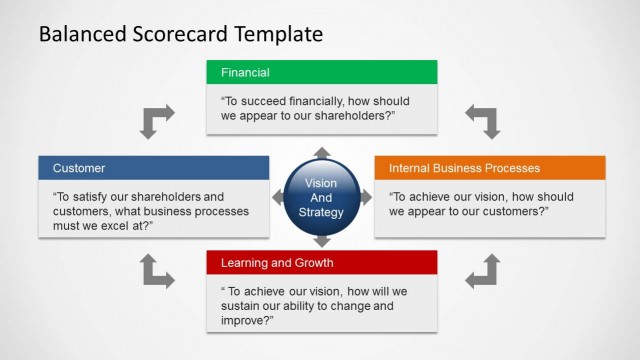
This layout serves as a structured overview for financial objectives, KPIs, and initiatives within a balanced scorecard framework. It fits into a presentation sequence after introducing financial metrics and before discussing internal processes. This slide is useful for business meetings focused on financial performance assessment and strategic planning, allowing stakeholders to visualize key financial indicators and targets effectively.
Text Placeholders & Capacity
Keep your copy within these limits so it fits without resizing. Node slots can accommodate concise entries, roughly 3-5 words each.
| Placeholder | Count | Max characters (approx.) |
|---|---|---|
| Slide title | 1 | 30 |
| Item heading | 4 | 20 |
| Item body | 4 | 50 |
| Callout | 1 | 80 |
Slide Keywords
Download unlimited PowerPoint templates, charts and graphics for your presentations with our annual plan.
DOWNLOADReturn to Balanced Scorecard Template for PowerPoint.