Slide 5 of 15 from A3 Thinking PowerPoint Template
Current Condition Presentation Slide with Donut Chart
Current Condition Overview Slide
- Chart
- Combo Chart
- Evaluation Slide
- 16:9
- 100% Editable
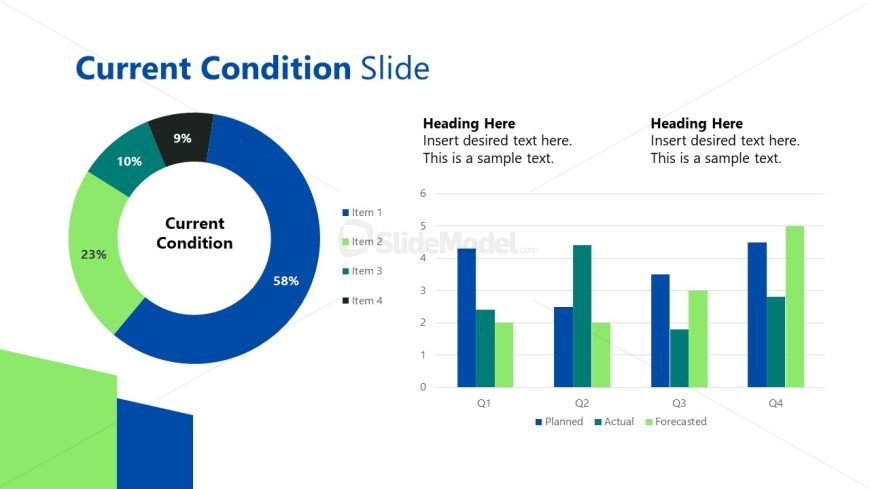
The Current Condition Overview slide from the A3 Thinking PowerPoint Template combines a circular chart and vertical bar chart to visually evaluate performance metrics. This layout is ideal for business presentations requiring clear comparison of planned, actual, and forecasted data across quarters. Its design supports effective project status updates and metric analysis using editable shapes and vector icons, making it a practical choice within slide templates for corporate presentations and pitch decks.
What’s on This Slide
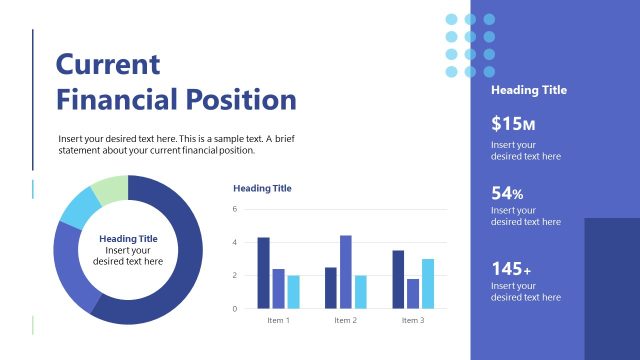
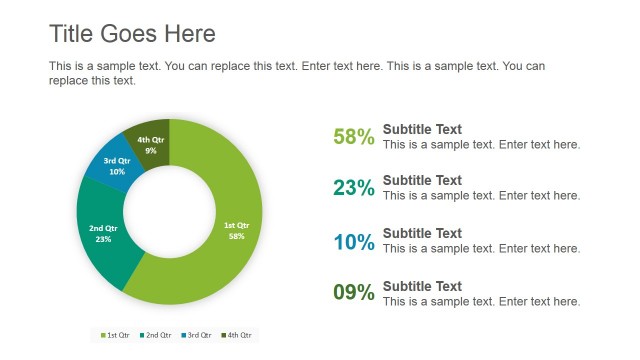
The layout features a circular chart on the left displaying percentages for four items, with the largest segment labeled 'Current Condition' in the center. To the right, a vertical bar chart compares planned, actual, and forecasted values across four quarters. The circular chart is predominantly blue with green accents, while the bar chart uses a mix of blue and green bars. Text placeholders are present at the top and within the bar chart, aligned to the left and center, respectively. The overall composition balances visual data representation with textual information.
How to Use It
This layout serves to present a current condition analysis, combining a circular chart with a bar chart for comparative metrics. It fits well in a presentation sequence after problem identification and before strategic planning. This structure is useful for business scenarios such as performance reviews, project status updates, or any situation requiring a visual representation of current metrics against planned objectives.
Text Placeholders & Capacity
Keep your copy within these limits so it fits without resizing. Body slots are tight, roughly 15-20 words each.
| Placeholder | Count | Max characters (approx.) |
|---|---|---|
| Slide title | 1 | 30 |
| Item heading | 4 | 10 |
| Chart title | 1 | 50 |
| Body paragraph | 2 | 100 |
Slide Keywords
Download unlimited PowerPoint templates, charts and graphics for your presentations with our annual plan.
DOWNLOADReturn to A3 Thinking PowerPoint Template.