Slide 8 of 8 from 7 Steps Material Design Spoke Diagram PowerPoint Template
Spoke Diagram with PowerPoint Infographics
7 Steps Material Design Spoke Diagram Overview
- Diagram
- Spoke Diagram
- Process Slide
- 16:9
- 100% Editable
What’s on This Slide
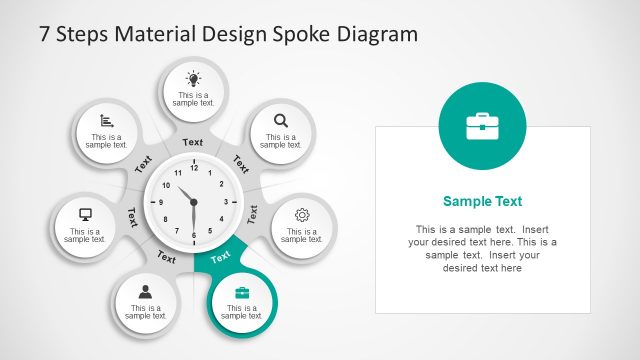
The layout features a central circular node surrounded by six equally spaced circular nodes, each containing text placeholders. The central node resembles a clock face, with hour markers and a clock hand. Each surrounding node is connected to the center with lines, indicating a spoke diagram structure. To the right, a rectangular area contains additional text placeholders for supplementary information. The background is light, enhancing the visibility of the nodes, which are colored in shades of gray and pink. The visual hierarchy emphasizes the central node with larger size and distinct design.
How to Use It
This slide serves as a spoke diagram, ideal for illustrating processes or steps in a business context. It fits well in a presentation sequence following a problem statement or introduction, leading into detailed explanations. Common scenarios include product feature presentations, sales strategies, or project development stages. The layout allows for clear communication of multiple components related to a central theme, making it effective for business development discussions.
Text Placeholders & Capacity
Keep your copy within these limits so it fits without resizing. Node slots can accommodate roughly 30 characters each.
| Placeholder | Count | Max characters (approx.) |
|---|---|---|
| Slide title | 1 | 40 |
| Item body | 6 | 30 |
| Body paragraph | 1 | 200 |
Slide Keywords
Download unlimited PowerPoint templates, charts and graphics for your presentations with our annual plan.
DOWNLOADReturn to 7 Steps Material Design Spoke Diagram PowerPoint Template.