Slide 4 of 8 from 7 Steps Material Design Spoke Diagram PowerPoint Template
7 Segment Presentation for Settings
7 Steps Spoke Diagram for Presentations
- Diagram
- Circular Cycle
- Process Slide
- 16:9
- 100% Editable
What’s on This Slide
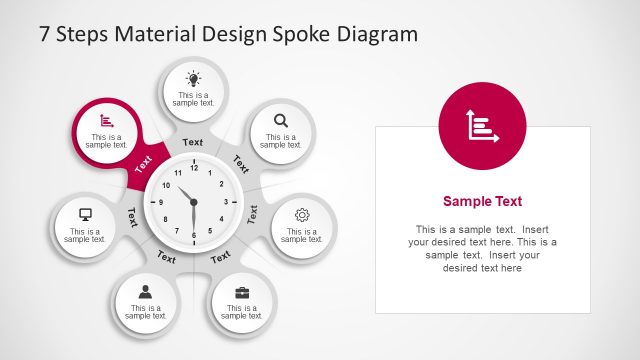
The layout features a central circular node resembling a clock, surrounded by six equally sized circular nodes positioned around it. Each outer node contains a text placeholder aligned centrally, while the central node also has a text placeholder, slightly larger in size. The diagram has a light background, enhancing visibility. The outer nodes are connected to the central node with lines, indicating a relationship. An additional rectangular text box is placed on the right side, containing sample text, which is visually separated from the diagram. The overall composition is circular and organized.
How to Use It
This layout serves as a spoke diagram, illustrating a process or concept with seven steps. It is suitable for presentations that require a clear visual representation of sequential or cyclical information. The diagram can be used in business development, product feature discussions, or marketing strategies. It fits well after introductory slides, providing a structured overview of key points. The additional text box allows for detailed explanations or examples, making it versatile for various contexts.
Text Placeholders & Capacity
Keep your copy within these limits so it fits without resizing. Node body slots can hold about 5-6 words each, while the body paragraph is more flexible.
| Placeholder | Count | Max characters (approx.) |
|---|---|---|
| Item body | 6 | 30 |
| Item body | 1 | 50 |
| Body paragraph | 1 | 200 |
Slide Keywords
Download unlimited PowerPoint templates, charts and graphics for your presentations with our annual plan.
DOWNLOADReturn to 7 Steps Material Design Spoke Diagram PowerPoint Template.