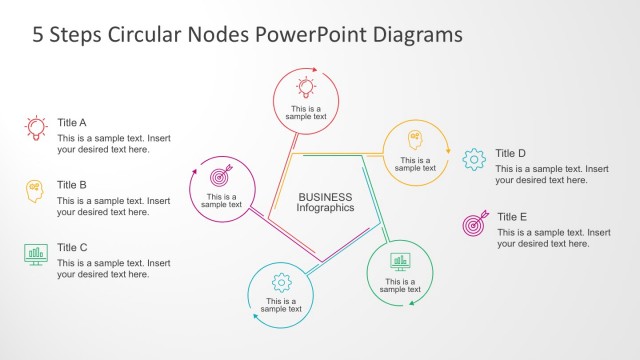
Slide 6 of 7 from 5 Steps Circular Nodes PowerPoint Diagrams
Circle Nodal PowerPoint Diagrams for Business
5 Steps Circular Nodes Diagram Overview
- Diagram
- Circular Cycle
- Process Slide
- 16:9
- 100% Editable
What’s on This Slide
The layout features a central hexagonal node labeled 'BUSINESS Infographics' with four circular nodes positioned around it. Each circular node contains an icon and a text placeholder aligned centrally. The nodes are connected by lines indicating relationships. The right side of the slide includes a rectangular area with a blue background, containing a title placeholder and a larger text placeholder for additional content. The overall composition is balanced, with a clear visual hierarchy emphasizing the central concept.
How to Use It
This layout serves as a process diagram illustrating five steps or components in a circular format. It is suitable for presentations that require a visual representation of interconnected ideas or processes. This structure can be used in various business contexts, such as project planning, strategic analysis, or educational presentations. It fits well after a problem-framing slide, leading into a detailed discussion of solutions or strategies.
Text Placeholders & Capacity
Keep your copy within these limits so it fits without resizing. Node body slots can accommodate roughly 15-20 words each.
| Placeholder | Count | Max characters (approx.) |
|---|---|---|
| Slide title | 1 | 40 |
| Item heading | 4 | 30 |
| Item body | 4 | 100 |
| Body paragraph | 1 | 200 |
Slide Keywords
Download unlimited PowerPoint templates, charts and graphics for your presentations with our annual plan.
DOWNLOADReturn to 5 Steps Circular Nodes PowerPoint Diagrams.