Slide 1 of 2 from 5-Item Feature Comparison PowerPoint Template
5-Item Feature Comparison PPT Template
5-Item Feature Comparison Template
- Diagram
- Comparison Split
- Comparison Slide
- 16:9
- 100% Editable
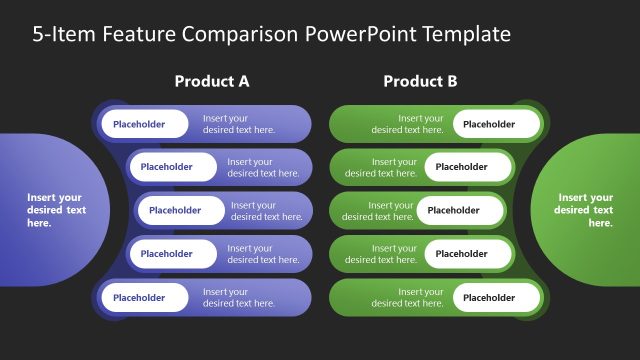
The 5-Item Feature Comparison slide from the 5-Item Feature Comparison PowerPoint Template offers a clear side-by-side layout for contrasting product features. This slide layout is designed for business presentations and pitch decks, featuring editable shapes and vector icons that enhance visual clarity. It supports effective communication in stakeholder meetings by simplifying complex comparisons within a corporate presentation or sales context.
What’s on This Slide
The layout features two main sections labeled 'Product A' and 'Product B' on the top. Each section contains five horizontal feature bars arranged vertically. The bars are rounded rectangles with light blue for Product A and light green for Product B. Each bar has a placeholder for text, aligned centrally within the shape. The background is a light color, enhancing readability. A prominent title is positioned at the top center, indicating the purpose of the slide. There is a larger placeholder on the left for additional text, creating a balanced visual hierarchy.
How to Use It
This layout serves as a side-by-side comparison diagram, ideal for showcasing features of two products. It fits well in presentations that require a clear visual distinction between two options, such as product launches or sales pitches. The structure allows for easy comparison of features, making it suitable for stakeholder meetings or marketing strategies. This slide can be used in contexts where decision-making is needed based on feature evaluations, enhancing clarity in presentations.
Text Placeholders & Capacity
Keep your copy within these limits so it fits without resizing. Node body slots can hold about 30 characters each.
| Placeholder | Count | Max characters (approx.) |
|---|---|---|
| Slide title | 1 | 40 |
| Item body | 10 | 30 |
| Body paragraph | 1 | 50 |
Slide Keywords
Download unlimited PowerPoint templates, charts and graphics for your presentations with our annual plan.
DOWNLOAD