Slide 5 of 6 from 5-Column Timeline Concept Template for PowerPoint
Editable Column 4 Spotlight Slide – PowerPoint Timeline Template
5-Column Timeline Concept for Presentations
- Table
- Comparison Table
- Timeline Slide
- 16:9
- 100% Editable
What’s on This Slide
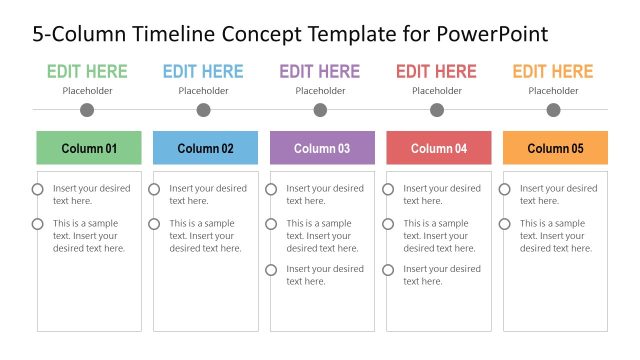
The layout features five vertical columns arranged side by side. Each column contains text placeholders aligned to the top, with space for a title and body text. The first four columns have a consistent background color, while the fifth column has a distinct red background for emphasis. Circular icons are positioned above each column, indicating a timeline progression. The overall design is clean, with clear boundaries separating each column. Text placeholders are labeled 'Insert your desired text here' and are visually aligned for uniformity.
How to Use It
This layout serves as a structured timeline, ideal for showcasing events or milestones across five distinct phases. It fits well in presentations that require a chronological overview or project planning. This design is particularly useful for project updates, product roadmaps, or event planning timelines, allowing for clear communication of sequential information. It can be used individually or as part of a larger presentation to illustrate progress over time.
Text Placeholders & Capacity
Keep your copy within these limits so it fits without resizing. Each column can hold multiple lines of text, roughly 10-15 words each.
| Placeholder | Count | Max characters (approx.) |
|---|---|---|
| Column header | 5 | 25 |
| Item body | 10 | 50 |
Slide Keywords
Download unlimited PowerPoint templates, charts and graphics for your presentations with our annual plan.
DOWNLOADReturn to 5-Column Timeline Concept Template for PowerPoint.