Slide 2 of 6 from 5-Column Timeline Concept Template for PowerPoint
5-Column Timeline Concept PowerPoint Template – Column 1 Slide
5-Column Timeline Concept for Presentations
- Diagram
- Comparison Split
- Timeline Slide
- 16:9
- 100% Editable
What’s on This Slide
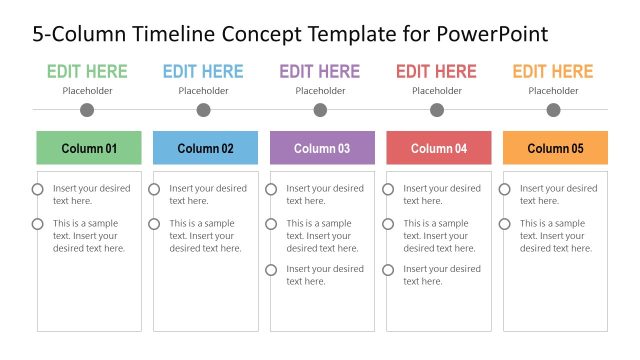
The layout features five vertical columns aligned horizontally across the slide. Each column is labeled with a title placeholder at the top, followed by two text placeholders stacked vertically. The first text placeholder is larger and accommodates more text, while the second is smaller. The columns are separated by circular icons positioned above each column, indicating a timeline sequence. The background is predominantly white, with a green accent for the first column. The visual hierarchy emphasizes the column titles and the circular icons.
How to Use It
This layout serves as a structured timeline for presenting sequential events or milestones. It fits well in a presentation sequence after an introduction and before detailed content. Common use cases include project planning, product roadmaps, and event timelines. Each column can represent a specific phase, allowing for clear comparisons across multiple timelines or projects.
Text Placeholders & Capacity
Keep your copy within these limits so it fits without resizing. Body slots can hold roughly 15-20 words each.
| Placeholder | Count | Max characters (approx.) |
|---|---|---|
| Item heading | 5 | 20 |
| Item body | 10 | 100 |
Slide Keywords
Download unlimited PowerPoint templates, charts and graphics for your presentations with our annual plan.
DOWNLOADReturn to 5-Column Timeline Concept Template for PowerPoint.