Slide 4 of 6 from 5-Column Timeline Concept Template for PowerPoint
5-Column Timeline PPT Template – Column 3 Color Highlight Slide
5-Column Timeline Concept for Presentations
- Table
- Comparison Table
- Timeline Slide
- 16:9
- 100% Editable
What’s on This Slide
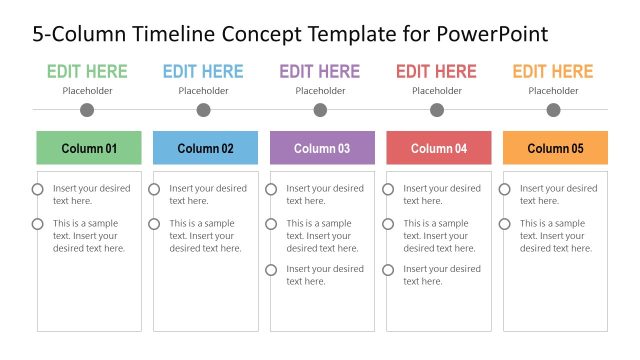
The layout consists of five vertical columns aligned horizontally. Each column has a title placeholder at the top, with the third column highlighted in purple. Below the titles, there are multiple text placeholders for content, arranged in a stacked format. Each column has circular bullet points for visual separation. The overall background is light, allowing the columns to stand out. The columns are evenly spaced, creating a balanced visual structure. The placeholders are aligned centrally within each column, facilitating easy text insertion.
How to Use It
This layout serves as a chronological timeline or project planning tool, ideal for showcasing events or milestones across five distinct categories. It fits well in presentations that require a clear visual representation of progress or phases. This structure is useful in business contexts such as product roadmaps, project updates, or event planning timelines. It allows for easy comparison across multiple timelines or categories, making it effective for strategic discussions and planning sessions.
Text Placeholders & Capacity
Keep your copy within these limits so it fits without resizing. Body slots can accommodate roughly 10-15 words each.
| Placeholder | Count | Max characters (approx.) |
|---|---|---|
| Column header | 5 | 30 |
| Body paragraph | 10 | 50 |
Slide Keywords
Download unlimited PowerPoint templates, charts and graphics for your presentations with our annual plan.
DOWNLOADReturn to 5-Column Timeline Concept Template for PowerPoint.