Slide 2 of 10 from 4 Item with Core PowerPoint Template
Step 1 4 Items Core Concept PowerPoint
4 Item Core Diagram PowerPoint Template
- Diagram
- Matrix Quadrant
- Process Slide
- 16:9
- 100% Editable
What’s on This Slide
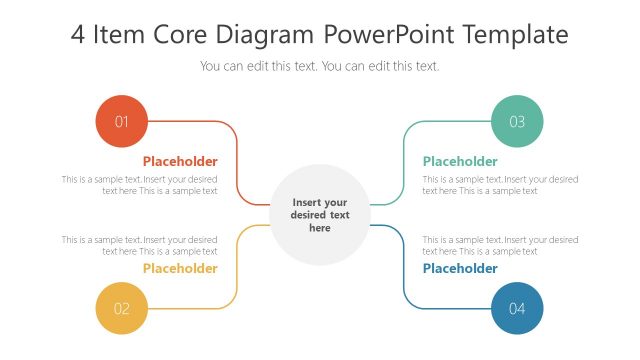
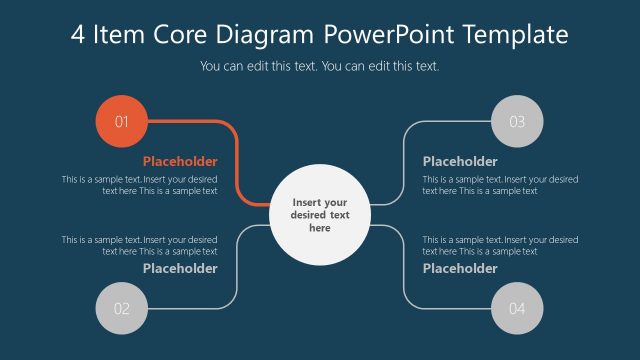
The layout features a central circular node with four surrounding circular nodes, each connected by lines. The top left node is labeled '01' and the bottom left node is labeled '02', while the top right node is labeled '03' and the bottom right node is labeled '04'. Each node contains a text placeholder aligned centrally, with additional text placeholders below each node for further detail. The central node also has a placeholder for main content. The background is light, enhancing the visibility of the nodes and connections.
How to Use It
This layout serves as a process flow diagram, illustrating four related items or steps. It fits well in presentations that require a clear depiction of interconnected concepts, such as project phases, product features, or strategic initiatives. This structure is useful in business contexts where clarity in communication is essential, allowing for easy understanding of complex relationships among elements.
Text Placeholders & Capacity
Keep your copy within these limits so it fits without resizing. Node body slots can hold roughly 20-25 words each.
| Placeholder | Count | Max characters (approx.) |
|---|---|---|
| Item heading | 4 | 2 |
| Item body | 4 | 120 |
| Body paragraph | 1 | 150 |
Slide Keywords
Download unlimited PowerPoint templates, charts and graphics for your presentations with our annual plan.
DOWNLOADReturn to 4 Item with Core PowerPoint Template.