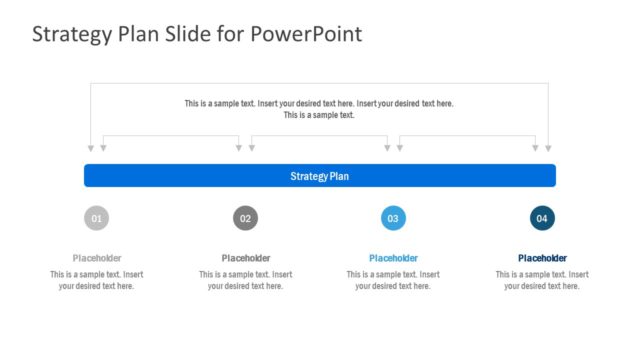
Slide 2 of 2 from 4-Item Strategy Diagram PowerPoint Template
4-Item Strategy Diagram Presentation Template
4-Item Strategy Diagram Overview
- Diagram
- Comparison Split
- Strategy Slide
- 16:9
- 100% Editable
What’s on This Slide
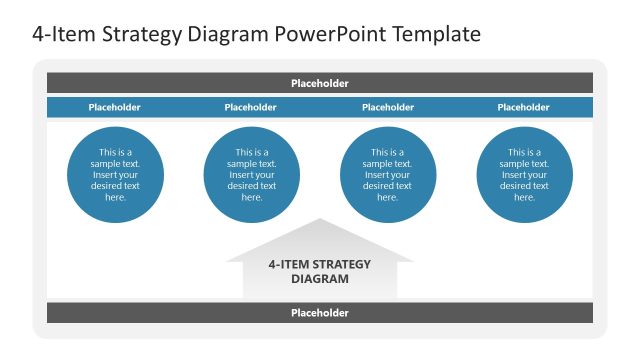
The layout features a horizontal arrangement of four rectangular placeholders, each designated for text. The placeholders are aligned in a single row, with a central title placeholder above them. Each text placeholder is evenly spaced and visually separated by a thin arrow pointing to the next placeholder. The background is light, while the placeholders have a darker border. The title placeholder is centered above the main content area. There are additional placeholders at the bottom for further text, maintaining a consistent visual hierarchy throughout the design.
How to Use It
This layout serves as a structured framework for presenting four related strategic items or concepts. It is suitable for business presentations that require clear comparisons or categorizations, such as brand strategies or operational plans. This slide fits well in a sequence following an introductory or problem-framing slide, providing a clear visual representation of strategic elements. It is ideal for situations where concise information needs to be communicated effectively, such as in management meetings or strategic planning sessions.
Text Placeholders & Capacity
Keep your copy within these limits so it fits without resizing. Text slots can accommodate roughly 8-10 words each.
| Placeholder | Count | Max characters (approx.) |
|---|---|---|
| Slide title | 1 | 50 |
| Item body | 4 | 50 |
| Footer | 1 | 50 |
Slide Keywords
Download unlimited PowerPoint templates, charts and graphics for your presentations with our annual plan.
DOWNLOADReturn to 4-Item Strategy Diagram PowerPoint Template.