Slide 1 of 2 from 4-Step Strategy Diagram Design for PowerPoint
4 Steps Strategy PowerPoint
4-Step Strategy Diagram for Presentations
- Diagram
- Process Flow
- Process Slide
- 16:9
- 100% Editable
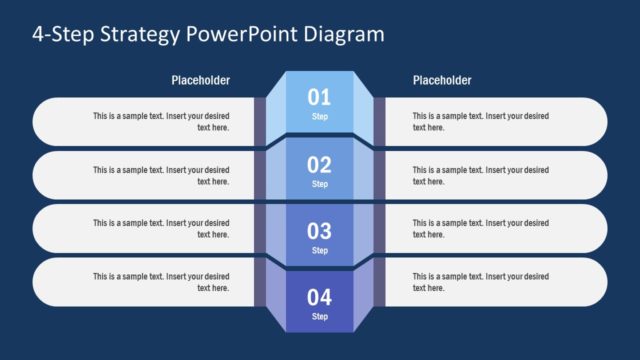
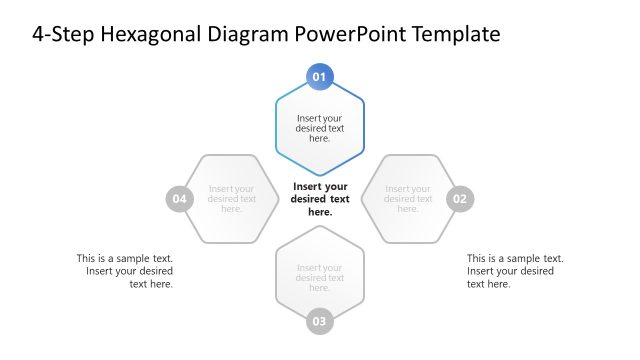
The 4-Step Strategy Diagram layout from the 4-Step Strategy Diagram Design for PowerPoint template offers a clear, sequential process flow ideal for strategic planning and project overviews. This slide template features editable shapes arranged in four horizontal sections with a gradient color scheme, supporting detailed explanations of each step. It is suitable for business presentations and pitch decks requiring a structured approach to outlining strategies or processes.
What’s on This Slide
The layout features a central title at the top, followed by four horizontal sections. Each section contains a numbered step, labeled from 01 to 04, with corresponding text placeholders positioned below each number. The sections are designed with a gradient color scheme, transitioning from light blue at the top to darker shades at the bottom. Each step is visually separated by a slight indentation, creating a staggered effect. The placeholders are aligned centrally within each section, allowing for clear text entry. The overall structure emphasizes a sequential flow from the top to the bottom.
How to Use It
This layout serves as a step-by-step guide, ideal for outlining processes or strategies in a presentation. It fits well in a sequence following a problem statement or introduction, leading into a detailed action plan. Common scenarios include strategic planning sessions, project management overviews, or educational presentations where clarity in sequential steps is essential. Each step can be expanded with specific details relevant to the audience, ensuring effective communication of the strategy.
Text Placeholders & Capacity
Keep your copy within these limits so it fits without resizing. Each step can hold a brief description, roughly 10-15 words each.
| Placeholder | Count | Max characters (approx.) |
|---|---|---|
| Slide title | 1 | 30 |
| Item heading | 4 | 10 |
| Item body | 4 | 50 |
Slide Keywords
Download unlimited PowerPoint templates, charts and graphics for your presentations with our annual plan.
DOWNLOAD