Slide 2 of 5 from 4-Item Circular Diagram PowerPoint Template
Editable 4-Item Circular Diagram Slide
4-Item Circular Diagram Overview
- Diagram
- Circular Cycle
- Process Slide
- 16:9
- 100% Editable
The 4-Item Circular Diagram slide from the 4-Item Circular Diagram PowerPoint Template offers a clear visual tool for illustrating cyclical processes in business presentations. This slide layout features editable shapes and vector icons within a segmented circular diagram, making it suitable for project milestone discussions and strategy overviews. It integrates seamlessly into corporate presentation slide decks, enhancing clarity in process explanation with professional slide templates designed for PowerPoint and Google Slides.
What’s on This Slide
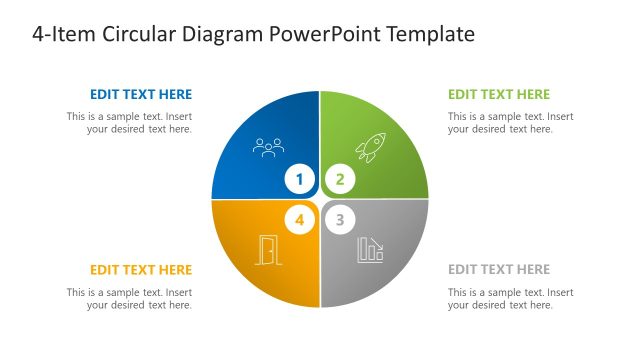
The layout features a circular diagram divided into four equal segments, each containing a placeholder for text and an icon. The top left segment is colored blue, while the other three segments are gray. Each segment is numbered from 1 to 4, with the corresponding icons positioned centrally within each segment. Text placeholders are aligned at the top and bottom of the slide, with the title positioned prominently above the diagram. The overall composition emphasizes the circular flow, with clear visual separation between segments.
How to Use It
This layout serves as a visual representation of a circular process or model, suitable for illustrating business strategies or milestones. It fits well in a presentation sequence that introduces concepts before detailing them. This structure can be effectively used to summarize key points in a business meeting or strategy session, making it ideal for discussions on project phases or process steps. It can also be utilized in training sessions to outline sequential learning objectives.
Text Placeholders & Capacity
Keep your copy within these limits so it fits without resizing. Node body slots can hold about 50 characters each.
| Placeholder | Count | Max characters (approx.) |
|---|---|---|
| Slide title | 1 | 30 |
| Item heading | 4 | 20 |
| Item body | 4 | 50 |
Slide Keywords
Download unlimited PowerPoint templates, charts and graphics for your presentations with our annual plan.
DOWNLOADReturn to 4-Item Circular Diagram PowerPoint Template.