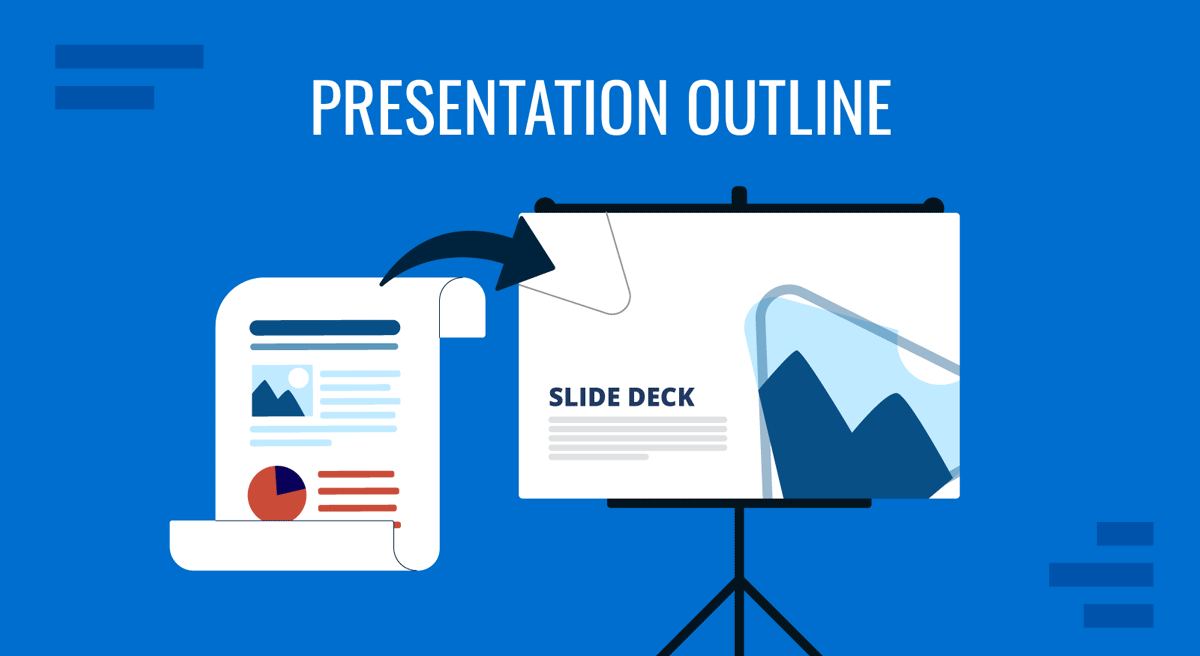
A presentation outline is the structural framework that determines how your message will be understood. Before slides are designed or visuals selected, structure defines what deserves attention, in what order, and for what purpose. Without it, presentations drift into disconnected points or overloaded slides. With it, ideas unfold logically, and conclusions feel earned rather than abrupt.
Creating an outline clarifies objectives, audience expectations, and the progression of reasoning. It reduces redundancy, strengthens transitions, and protects time. Whether the goal is to inform, persuade, or secure approval, a deliberate outline ensures that every section contributes to a coherent, purposeful narrative.
Why Should You Create a Presentation Outline?
An outline is not a formality completed before “the real work” begins. It is the architecture that determines how your message will be perceived, processed, and remembered. Without a deliberate presentation structure, even strong ideas become fragmented. With one, complex information becomes coherent and persuasive.
A presentation outline defines the logical path from how to start a presentation to the conclusion. It clarifies what belongs in the presentation and, equally important, what does not. Many presenters begin by designing slides and only later try to impose order. That approach often leads to redundancy, weak transitions, and unclear priorities. Outlining first forces you to confront purpose, scope, and sequence before design decisions distract you.
At a cognitive level, audiences process information in patterns. They seek progression: a starting point, development, and resolution. An outline mirrors this mental expectation. It shapes the rhythm of information delivery and reduces cognitive friction. When ideas are sequenced intentionally, the audience spends less effort deciphering structure and more effort engaging with content.
Outlines also serve as control mechanisms. They protect against digressions and prevent the presentation from expanding beyond its intended focus. In business settings, time constraints are strict. A structured outline ensures that essential arguments receive attention and secondary points are placed appropriately, either in supporting sections or in backup slides.
Defining the Objective Before Structuring Content
An effective outline begins with a precise objective. Without clarity of intent, structure becomes arbitrary. The central question is not “What do I want to say?” but “What should the audience understand or decide by the end?”
Objectives generally fall into distinct categories: informing, persuading, reporting progress, proposing action, or facilitating discussion. Each requires a different structural emphasis. A performance report may prioritize chronology and metrics. A proposal may emphasize problem definition and the rationale for the solution. A training session may require conceptual progression from basic to advanced ideas.
Defining the objective requires narrowing the scope. Broad goals produce diffuse presentations. Instead of aiming to “explain our strategy,” define a sharper outcome: “secure approval for the revised pricing model” or “align leadership on Q3 priorities.” A specific objective immediately influences how the outline will be organized.
Audience analysis supports this process. Consider their familiarity with the subject, decision authority, and expectations. Executives often require concise reasoning and clear implications. Technical teams may expect methodological transparency. A mismatch between structure and audience expectations undermines effectiveness.
At this stage, it is useful to articulate a single core message in one sentence. This sentence becomes the anchor for the outline. Every major section should reinforce or support it. If a segment does not contribute to the objective, it likely belongs elsewhere.
Mapping the Core Narrative: From Opening to Conclusion
Once the objective is defined, the outline can be shaped into a coherent narrative. Every presentation benefits from a deliberate progression. This progression does not require theatrical storytelling; it requires logical development.
Crafting a Clear Introduction
The opening establishes context and direction. It should answer two implicit questions the audience carries: Why does this matter, and what will be covered? An effective introduction frames the topic without overwhelming dthe reader with etail. It sets expectations for the journey ahead.
Within the outline, the introduction may include background context, a problem statement, or a brief summary of the agenda (which later helps to build the agenda slide). Avoid overloading this section. Its role is orientation, not exhaustive explanation. A concise introduction creates cognitive readiness for deeper material.
Structuring the Body Around Logical Progression
The body of the presentation carries the weight of evidence, reasoning, or explanation. Its structure should reflect how understanding unfolds. There are several common logical sequences:
A problem-analysis-solution format is effective for proposal presentations. A chronological sequence suits progress updates. A thematic structure works when examining multiple dimensions of a topic.
When drafting the outline, label each major section with its role rather than a generic title. Instead of writing “Market Data,” specify “Market Trends That Justify Expansion.” This framing keeps the outline aligned with the objective.
Each major section should contain subsections that support it directly. These subsections must be mutually reinforcing rather than repetitive. If two subsections overlap significantly, the outline likely requires consolidation.
Transitions deserve attention in the outline. Indicate how each section leads to the next. Logical bridges prevent abrupt shifts and maintain continuity. Even a short note, such as “Transition: from performance metrics to operational drivers,” strengthens the flow.
Designing a Conclusion That Reinforces the Objective
Ending a presentation does not imply a summary of every slide. It reinforces the core message and its implications. At the outline stage, define precisely what the audience should retain.
If the objective is approval, the conclusion should restate the proposal and clarify next steps. If the objective is alignment, it should consolidate shared understanding. Avoid introducing new major concepts at this stage. The outline should reflect closure, not expansion.
Organizing Key Points and Supporting Material
An outline must distinguish between primary arguments and supporting details. This hierarchy is essential for clarity. Without it, presentations become collections of information rather than structured reasoning.
Establishing a Clear Hierarchy
Begin by identifying three to five major sections that directly support the objective. These become the backbone of the outline. Each should address a distinct dimension of the topic. Overloading the outline with too many primary sections fragments attention.
Within each primary section, identify supporting points that explain, validate, or illustrate the main idea. These should be concise at the outline stage. Avoid drafting full paragraphs; instead, capture the essence of each point.
Hierarchy also guides slide allocation. Major sections may require multiple slides. Supporting details may fit on a single slide or be reserved for the appendix. Clarifying this in the outline prevents disproportionate emphasis.
Prioritizing Relevance and Eliminating Redundancy
During outlining, evaluate each point against the objective. Ask whether it strengthens understanding or advances the decision. If a detail does not serve a clear purpose, remove it. Outlining provides an opportunity to simplify before complexity becomes embedded in slides.
Redundancy often emerges when similar data appears in multiple sections. Reviewing the outline as a whole reveals repetition more clearly than reviewing individual slides. Consolidation at this stage improves efficiency and focus.
Supporting material such as case examples, statistics, or testimonials should be positioned deliberately. The outline should indicate where evidence is introduced and how it connects to the argument. Random insertion weakens the impact.
Integrating Data and Visuals Into the Presentation Outline
An outline should not consist solely of text-based talking points. It should anticipate how information will be represented visually. Integrating data and visuals at the outlining stage ensures alignment between message and medium.
Determining the Role of Data
Identify where quantitative or qualitative evidence supports your argument. For each section of the outline, specify whether data is required and what form it should take. Is the purpose to demonstrate scale, compare options, or validate a claim? Clarifying intent guides the choice of representation.
Avoid inserting data without a defined purpose. An outline that simply notes “Include statistics” lacks direction. Instead, specify what the data demonstrates. For example: “Revenue trend confirming sustained growth.” This phrasing anchors interpretation.
Selecting Appropriate Visual Formats
The outline can also signal the type of visual element needed. Some points may require a chart to show change over time. Others may benefit from a simple diagram illustrating the process flow. Comparative decisions might be supported by structured table templates.
Specifying visual intent in the outline prevents mismatches later. It ensures that slides are not designed first and justified afterward. Instead, visuals become tools that serve predefined reasoning.
How to Make the Presentation Outline
Creating a presentation outline is a deliberate exercise in structuring reasoning before designing slides. By this stage, you have defined the objective, clarified the narrative path, and determined how evidence will support your message. The next step is to translate those decisions into a working document.
- Write the core message at the top of the page. This single sentence anchors the outline and prevents drift. Every section should connect back to it.
- List the main sections in logical order. These typically reflect the introduction, core arguments, and conclusion defined earlier. Phrase each section as a functional statement rather than a vague label.
- Add concise supporting points under each section. Capture arguments, data references, or examples in short phrases. Avoid drafting full paragraphs.
- Indicate transitions. Briefly note how one section leads to the next to preserve narrative flow.
- Mark visual intentions. Specify where charts, diagrams, or structured layouts will reinforce understanding.
- Review for alignment and balance. Confirm that each section advances the objective and that the time distribution is realistic.
You can draft this outline as a PDF, optionally including reference images to visualize the structure. Alternatively, you may organize it inside a SlideModel PowerPoint template to create a cleaner, structured view that mirrors how the final presentation will appear.
FAQs
What is the main purpose of a presentation outline?
A presentation outline provides the structural framework for your message. It organizes ideas in a logical sequence before designing the slides. Its purpose is to clarify priorities, eliminate unnecessary content, and ensure that the presentation progresses toward a defined objective. Without an outline, slides often become disconnected fragments rather than a coherent argument.
When should I create the outline? Before or after designing the slides?
The outline should be created before slide design begins. Structuring content first allows you to refine logic and sequence without being influenced by layout decisions. Designing slides too early often leads to rearranging or deleting work later because the narrative has not been properly tested.
How detailed should a presentation outline be?
An outline should capture the structure and key points, not the full script. Use concise phrases under each section to define arguments, supporting data, and intended conclusions. Overwriting at this stage can obscure hierarchy and make structural weaknesses harder to identify.
How many main sections should a presentation outline contain?
Most effective presentations contain three to five primary sections. This range supports clarity without fragmentation. Too many sections divide attention and make transitions harder to manage within the limited presentation time.
Should the outline of a presentation include the introduction and conclusion explicitly?
Yes. The introduction and conclusion should be clearly defined in the outline. The introduction sets context and direction, while the conclusion reinforces the core message and implications. Treating them as structural components prevents weak openings or abrupt endings.
How do I prevent redundancy in my outline?
Review the outline as a whole and look for repeated themes across sections. If two segments address similar ideas, consolidate them. Redundancy often becomes visible at the outline stage before it spreads across multiple slides.
Can I adapt the presentation outline during slide creation?
Yes, but cautiously. If new insights emerge while building slides, revisit the outline and adjust it intentionally. Avoid expanding the presentation without first confirming that the changes align with the original objective.
What is the biggest mistake when creating a presentation outline?
The most common mistake is treating the outline as a checklist of topics instead of a logical progression; that’s merely an outline view in PowerPoint. An effective outline connects ideas in a sequence that leads to a clear conclusion. When structure is intentional, delivery becomes more focused and persuasive.
Final Words
A presentation outline is the discipline behind effective communication. It forces decisions about priority, sequence, and emphasis before design begins. By defining the objective, structuring the narrative, and organizing supporting material, you create a clear path for the audience to follow.
An outline also protects against unnecessary detail and uneven pacing. When refined carefully, it becomes a practical tool for testing logic and ensuring alignment between message and outcome. Slides then serve the structure rather than compensate for its absence. Consistent outlining leads to presentations that are focused, coherent, and purposeful from the first slide to the last.