Slide 3 of 3 from Free Bucket Slides for PowerPoint
FF0015-01-bucket-slides-3
Three-Bucket Category Diagram for Presentations
- Diagram
- Matrix Quadrant
- Concept Explanation Slide
- 16:9
- 100% Editable
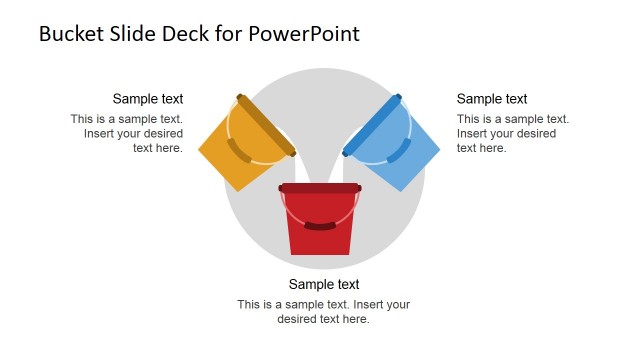
The Three-Bucket Category Diagram slide from the Free Bucket Slides for PowerPoint template offers a clear visual tool for presenting segmentation and prioritization concepts. This slide layout, featuring editable shapes arranged in a balanced circular pattern, supports business presentations and pitch deck templates by illustrating classification methods effectively within professional slide decks.
What’s on This Slide
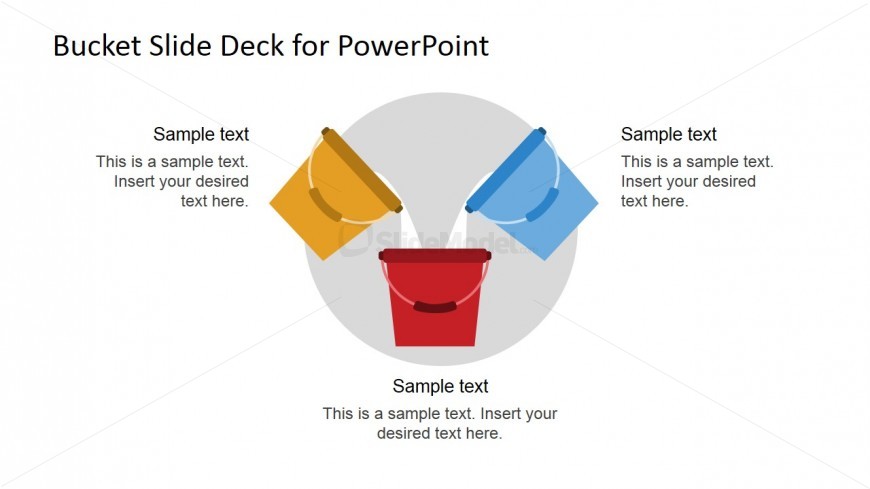
The layout features three colored buckets arranged in a circular pattern, with a red bucket at the bottom center and blue and yellow buckets positioned above it. Each bucket has a text placeholder aligned to the left, right, and center, respectively. The text placeholders are labeled 'Sample text' and provide space for additional content. The background is white, enhancing the visibility of the buckets. The overall composition emphasizes the central bucket while maintaining a balanced visual hierarchy among the three buckets.
How to Use It
This layout serves as a three-bucket category diagram, ideal for presenting segmentation or classification concepts. It fits well in a presentation sequence following an introduction or overview slide. This structure is useful for consultants or managers explaining how items are grouped or prioritized. It can also be employed in training sessions to illustrate categorization methods or decision-making processes, providing a clear visual representation of distinct categories.
Text Placeholders & Capacity
Keep your copy within these limits so it fits without resizing. Node body slots can accommodate roughly 15-20 words each.
| Placeholder | Count | Max characters (approx.) |
|---|---|---|
| Item heading | 3 | 30 |
| Item body | 3 | 100 |
Slide Keywords
Download unlimited PowerPoint templates, charts and graphics for your presentations with our annual plan.
DOWNLOADReturn to Free Bucket Slides for PowerPoint.