Slide 1 of 2 from Venn Diagram Slide PowerPoint Template
Venn Diagram Slide Presentation Template
Venn Diagram Slide for Presentations
- Diagram
- Venn
- Comparison Slide
- 16:9
- 100% Editable
The Venn Diagram with Text Placeholders slide from the Venn Diagram Slide PowerPoint Template offers a clear visual comparison tool ideal for business presentations and competitive analysis. Featuring editable shapes and vector icons within overlapping circles, this slide template supports illustrating product features and conceptual relationships effectively in slide decks.
What’s on This Slide
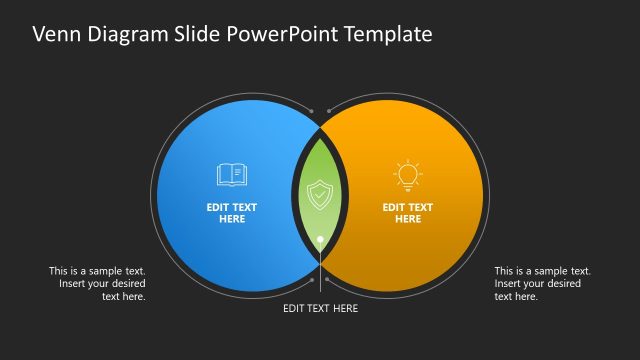
The slide features two overlapping circles, one blue and one orange, positioned side by side. Each circle contains an icon: a book in the blue circle and a light bulb in the orange circle. The overlapping area is highlighted in green, with a placeholder for text. Below each circle, there are additional text placeholders aligned centrally, allowing for further descriptions. The overall layout is symmetrical, with a clean white background that enhances the visibility of the circles and text. The visual hierarchy emphasizes the central overlap.
How to Use It
This layout serves as a comparison tool, ideal for illustrating similarities and differences between two concepts. It fits well in presentations discussing product features, competitive analysis, or any scenario requiring a visual comparison. The Venn diagram can be used in business meetings, educational settings, or marketing strategies to clarify relationships between ideas. It is effective in conveying complex information in a straightforward manner, making it suitable for both formal and informal presentations.
Text Placeholders & Capacity
Keep your copy within these limits so it fits without resizing. Node labels can hold about 40 characters each, while the body can accommodate around 80 characters.
| Placeholder | Count | Max characters (approx.) |
|---|---|---|
| Item heading | 2 | 40 |
| Item body | 1 | 80 |
| Footer | 2 | 60 |
Slide Keywords
Download unlimited PowerPoint templates, charts and graphics for your presentations with our annual plan.
DOWNLOADReturn to Venn Diagram Slide PowerPoint Template.