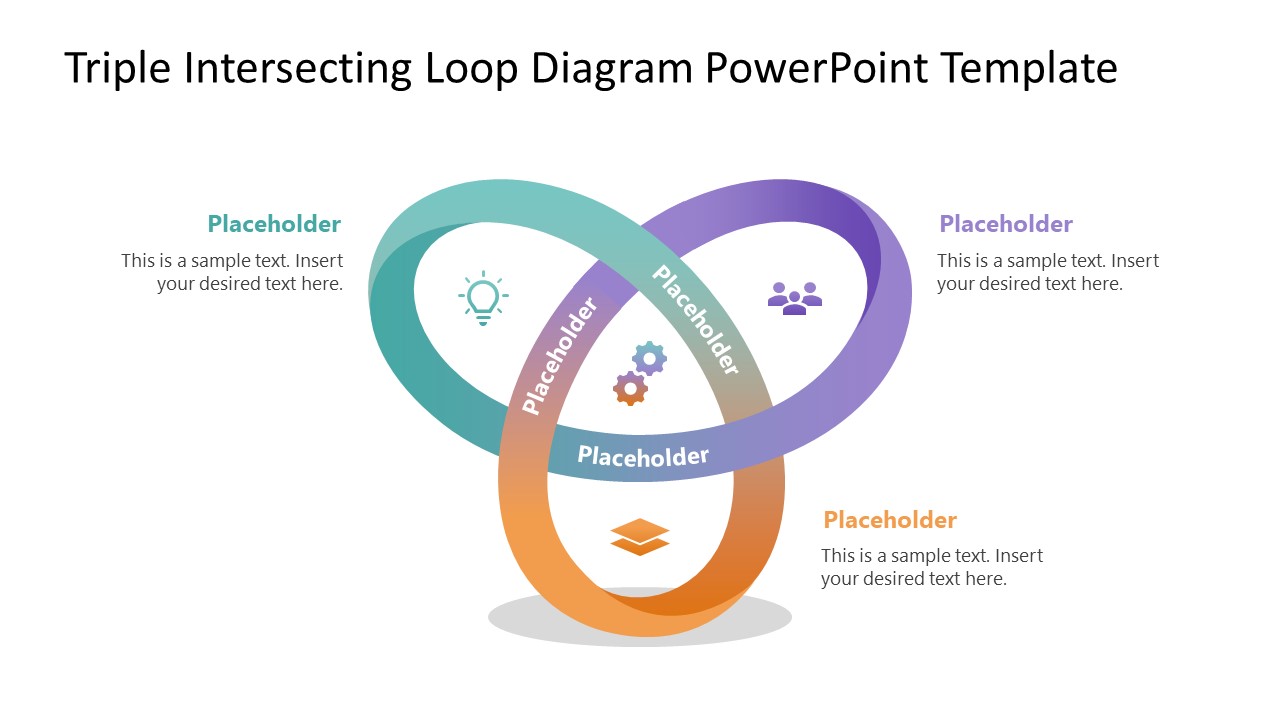
Present the three overlapping concepts or ideas in your stakeholder presentations with our Triple Intersecting Loop Diagram PowerPoint Template. A loop diagram is useful for programmers and software engineers to illustrate three connected stages, such as testing, feedback, and user experience. In performance review presentations, the loop diagram enables innovation managers or product strategists to present the improvement cycles. In team meetings, leads can customize the triple-intersecting loop diagram to provide an overview of shared responsibilities for completing the project. You can also showcase the steps in a cyclic manufacturing process using this intersecting loop diagram layout. The first slide shows a triple-loop interaction, with four inner segments dedicated to separate business components. This visual framework provides an easy-to-edit layout that enables professionals to communicate complex concepts in an organized manner.
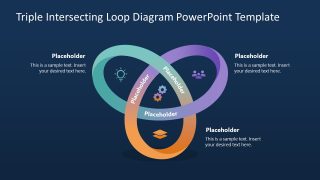
Each segment in the loop has a gradient-colored icon. You can use the dark-background slide with the same diagram, based on your preferences. A marketing lead can edit the Triple Intersecting Loop Diagram PowerPoint Template to showcase the brand positioning strategy. He can use the loop to discuss how core company strengths, the target audience, and the competitive gap, when combined, make the position achievable and sustainable. The business development managers can use the intersection loop diagram to pitch senior leadership on a joint venture, highlighting the joining capabilities and strategic advantage of the partnership. The loop diagram helps explain the cross-functional alignment between three departments to maximize productivity and outcomes. You can change the color scheme or icon types in the diagram template to match your theme or preferences.
Download the triple-intersecting loop diagram for PowerPoint and use it in your client presentation to communicate multi-factor business relationships. Alternatively, browse other PowerPoint diagrams like the infinite loop diagrams for PowerPoint and Google Slides presentations, including infographic slide designs.
What’s inside this template
Example presentation scenarios
- A product manager can use the triple loop diagram to explain how customer feedback, testing, and user experience combine into a continuous improvement cycle.
- A project lead can present shared responsibilities across three departments by assigning each loop to a team and using the center icons to show the joint outcome.
- A strategy consultant can explain brand positioning by mapping audience needs, company strengths, and competitive gap across the three intersecting loops.
- A manufacturing manager can show a cyclic process by placing three production stages in the loops and using the callout text blocks to explain handoffs.
Features
- 100% editable presentation template
- Compatible with Microsoft PowerPoint
- 16:9 aspect ratio slides
- Scalable vector shapes, icons and illustrations
- AI-Ready for Microsoft Copilot and Claude
- Instant access and download
Frequently asked questions
Q: How should a presenter structure the message around the triple loop diagram?
A: Start by naming the three loop categories in plain language, then explain each one before discussing the shared center. The outer callouts work best for short definitions or stakeholder implications, while the center icon segments should represent the combined result. Avoid filling every label with long text, because the diagram is strongest as a relationship map.
Q: Who benefits most from using this template in a business presentation?
A: This template fits presenters who need to explain interdependence rather than sequence. Product managers, project leads, strategists, and process owners can use it to show how three functions, ideas, or stages affect one another. It is especially useful in stakeholder meetings where the audience needs a quick visual model before discussing decisions.
Q: Why use intersecting loops instead of three separate boxes?
A: The loop metaphor shows motion, repetition, and dependency, which separate boxes do not communicate as clearly. Because the three rings overlap, the audience can see that the categories are not isolated. The central icon area gives the presenter a visual place to define the shared outcome, such as alignment, improvement, or strategic fit.

Triple Intersecting Loop Diagram PowerPoint Template
2-slide PowerPoint presentation template with triple loop intersection diagram and callout labels
The Triple Intersecting Loop Diagram PowerPoint Template is a 2-slide diagram template for Microsoft PowerPoint. It shows a three-loop intersection with labeled curved segments, central icon sections, and three outer callout text blocks. The deck is suited for explaining connected ideas, shared responsibilities, process cycles, and cross-functional alignment.
- Category
- Diagrams
- Rating

 Loading...
- Aspect ratio
- 16:9
- Item ID
- 23612-01
- Colors
 Microsoft PowerPoint
  Microsoft Copilot
  Claude for PowerPoint
 Other formats supported
Subscribe today and get immediate
access to download our PowerPoint templates.