Slide 3 of 5 from Tree Diagram Template for PowerPoint
6029-01-tree-diagram-template-3
Tree Diagram for PowerPoint Slide
- Diagram
- Other
- Timeline Slide
- 16:9
- 100% Editable
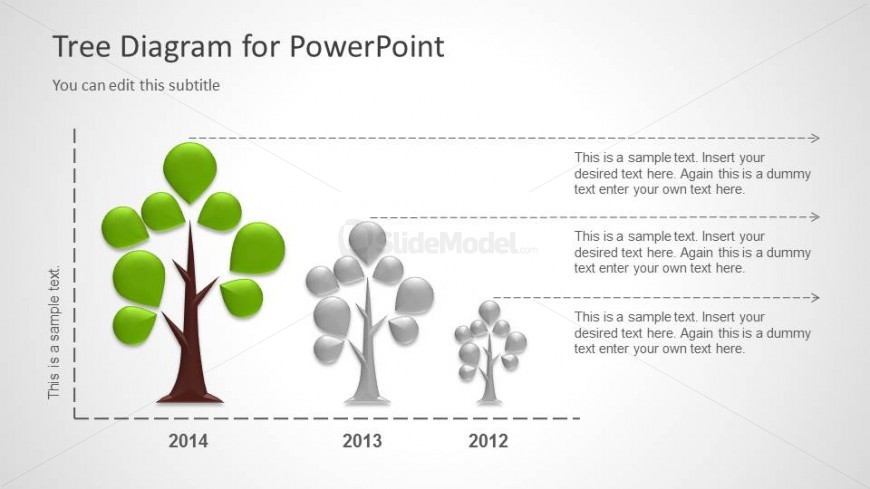
The Tree Diagram with Years slide from the Tree Diagram Template for PowerPoint offers a clear timeline visualization ideal for business presentations. This slide layout uses editable shapes to depict annual performance or project milestones through three distinct tree diagrams, making it suitable for corporate presentations or pitch deck templates that require a visual growth illustration.
What’s on This Slide
The layout features three tree diagrams arranged horizontally, each representing different years: 2012, 2013, and 2014. The leftmost tree is the largest, with green leaves, while the middle tree is smaller and gray, and the rightmost tree is the smallest, also gray. Each tree has a corresponding text placeholder below it, aligned centrally, indicating a sample text. The title is positioned at the top left, with a subtitle directly beneath it. The background is light, enhancing the visibility of the trees.
How to Use It
This layout serves as a visual representation of growth or changes over time, suitable for illustrating progress or development in a business context. It fits well in a presentation sequence after introducing a concept or problem, leading into a discussion of outcomes or future projections. This structure is useful for showcasing annual performance, project milestones, or product evolution, effectively communicating timelines in a clear manner.
Text Placeholders & Capacity
Keep your copy within these limits so it fits without resizing. Node body slots can hold around 15-20 words each.
| Placeholder | Count | Max characters (approx.) |
|---|---|---|
| Slide title | 1 | 30 |
| Subtitle | 1 | 50 |
| Item heading | 3 | 4 |
| Item body | 3 | 100 |
Slide Keywords
Download unlimited PowerPoint templates, charts and graphics for your presentations with our annual plan.
DOWNLOADReturn to Tree Diagram Template for PowerPoint.