Slide 22 of 24 from Training Session PowerPoint Template
94304-01-training-session-powerpoint-template-16×9-22
Resource Overview for Training Session
- Text Layout
- List Blocks
- Context Slide
- 16:9
- 100% Editable
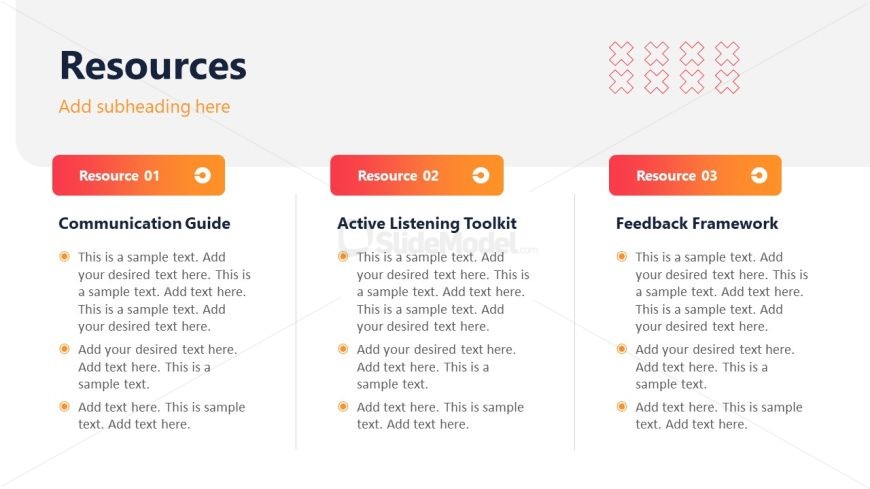
The Resource Overview slide from the Training Session PowerPoint Template offers a structured layout to summarize multiple educational materials effectively. Designed with three horizontally aligned sections, it supports clear presentation of guides and toolkits, making it suitable for business presentations and training workshops. This slide layout integrates editable shapes and text placeholders to enhance customization within professional slide decks.
What’s on This Slide
The layout features three distinct sections aligned horizontally, each containing a title and a text placeholder. The leftmost section is labeled 'Resource 01' with a title 'Communication Guide' and includes three bullet points for text. The center section, 'Resource 02,' is titled 'Active Listening Toolkit' and also has three bullet points. The rightmost section, 'Resource 03,' is labeled 'Feedback Framework' and contains three bullet points. Each section has a colored button for action, and a light background color enhances readability. Text placeholders are aligned left within each section.
How to Use It
This layout serves as a resource overview, ideal for summarizing key materials in a training session. It fits well after instructional content, helping to consolidate learning tools. Use this format when presenting multiple resources, such as guides or toolkits, to facilitate easy reference. It is suitable for training sessions, workshops, or educational presentations where multiple resources are discussed in parallel.
Text Placeholders & Capacity
Keep your copy within these limits so it fits without resizing. Node body slots can hold roughly 15-20 words each.
| Placeholder | Count | Max characters (approx.) |
|---|---|---|
| Slide title | 1 | 30 |
| Item heading | 3 | 25 |
| Item body | 9 | 100 |
Slide Keywords
Download unlimited PowerPoint templates, charts and graphics for your presentations with our annual plan.
DOWNLOADReturn to Training Session PowerPoint Template.