Slide 10 of 14 from Key Customer Onboarding PowerPoint Template
Training Resources Infographics Slide – Key Customer Onboarding Presentation Template
Training Resources Overview Slide
- Text Layout
- List Blocks
- Context Slide
- 16:9
- 100% Editable
The Training Resources Overview slide from the Key Customer Onboarding PowerPoint Template provides a clear summary of essential training materials, including knowledge bases, live workshops, and best practice guides. This slide layout is designed for corporate presentations and pitch deck templates, featuring editable shapes and vector icons that enhance clarity and engagement in business presentations.
What’s on This Slide
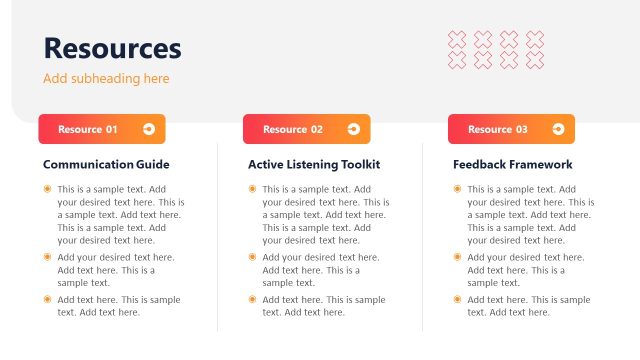
The layout features three distinct sections aligned horizontally across the slide. Each section contains a title, an icon, and a text placeholder. The leftmost section is labeled 'Knowledge Base' with a brain icon, followed by 'Live Workshops' with a headset icon, and 'Best Practice Guides' with a hands icon. Each section has a colored background, with the left section in orange, the middle in white, and the right in white. The main title 'Training Resources' is prominently displayed at the top, with a subheading placeholder below it. The overall composition is organized and visually separated by color.
How to Use It
This layout serves as a resource overview, ideal for presenting training materials in a customer onboarding context. It fits well after introductory slides that discuss onboarding processes or before detailed training sessions. Use it to highlight key resources available to customers, such as knowledge bases and workshops. This structure is effective for summarizing multiple training options and guiding customers toward available support materials.
Text Placeholders & Capacity
Keep your copy within these limits so it fits without resizing. Node body slots can accommodate roughly 25-30 words each.
| Placeholder | Count | Max characters (approx.) |
|---|---|---|
| Slide title | 1 | 30 |
| Item heading | 3 | 25 |
| Item body | 3 | 150 |
| Callout | 1 | 50 |
Slide Keywords
Download unlimited PowerPoint templates, charts and graphics for your presentations with our annual plan.
DOWNLOADReturn to Key Customer Onboarding PowerPoint Template.