Reward PowerPoint Templates
Recognizing an employee’s contribution only lands if the presentation names the specific achievement rather than offering generic praise that could apply to anyone. A reward and recognition PowerPoint template gives that specificity a structure, pairing achievement details with the employee’s name and impact instead of a vague thank-you slide. Our reward templates are built for HR teams and managers who run recognition programs on a recurring basis.

Certificate of Training PowerPoint Template

Employee Appreciation PowerPoint Template

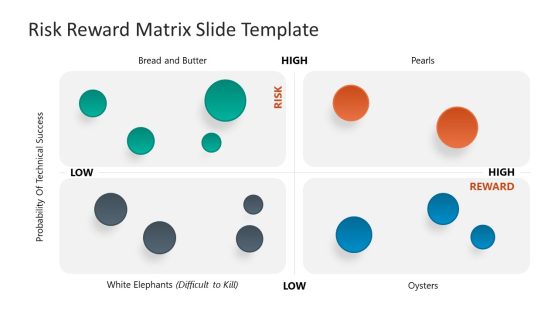
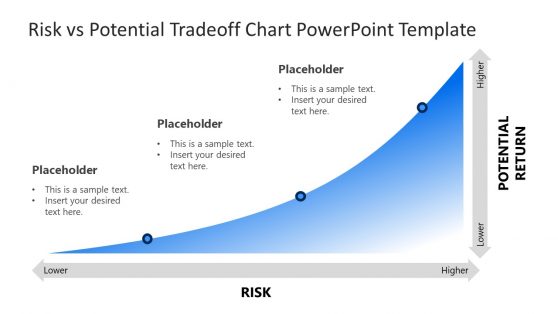
Risk vs Potential Tradeoff Chart PowerPoint Template

Reward & Recognition PowerPoint Template
Recognition Only Lands If the Slide Makes It Specific
“Great work, everyone” names nobody. The audience gets no person to picture and no contribution to attach the praise to, so the slide passes without landing anywhere. Reward templates fix this by building the layout around four fields: the achievement, who did it, what they delivered, and why it mattered to the team. The structure does the work, because a manager filling in named slots cannot fall back on a blanket thank-you.
That matters most in a recurring program, where people read the pattern rather than any single slide. Recognition that stays specific month after month reads as earned. Recognition that stays vague teaches employees the ritual exists for the calendar, not for them. Teams running a wider employee engagement effort tend to treat the reward template as one working part of that strategy rather than a separate exercise.
What’s Inside a Reward and Recognition PowerPoint Template
A reward PPT template is a slide set built around specific achievement callouts, employee spotlight layouts, and recognition program structure slides. The usual lineup covers:
- Employee spotlight slides pairing a photo with a specific achievement
- Nomination and criteria slides explaining how recognition is earned
- Recognition program timeline slides showing recurring cadence
- Peer nomination summary slides highlighting team-submitted recognitions
HR Teams, Managers, and the Reward Conversation
HR teams use the employee spotlight slide during a monthly all-hands meeting to publicly recognize a specific contribution in front of the full team. Department managers use the nomination criteria slide when rolling out a new recognition program, explaining exactly what behaviors or outcomes the program rewards.
Talent management teams reviewing a broader talent review process use the recognition history alongside performance data to build a fuller picture of an employee’s contributions, and distributed HR teams running recognition programs across multiple offices rely on Google Slides to keep the same spotlight format consistent everywhere the program runs.
What is a reward and recognition presentation template?
Generic praise doesn’t stick the way a specific, named achievement does, which is why this format calls out the actual contribution rather than a vague thank-you.
How do I create a reward PowerPoint template?
Start from an employee spotlight layout already structured, then fill in the specific person, achievement, and impact you’re recognizing.
Where can I find a free reward and recognition PowerPoint template?
Our collection includes free and premium reward layouts, covering employee spotlights, nomination criteria, and recognition program timelines.
How often should a recognition program present new spotlight slides?
Monthly or quarterly cadences tend to work best, frequent enough to feel meaningful and current, without becoming so routine that the recognition loses its specific weight.
Can the employee spotlight slide include a quote from the nominee’s manager or peers?
Yes, most spotlight layouts include a quote field alongside the photo and achievement, giving the recognition a personal voice beyond just stating the accomplishment.
Is the recognition program timeline meant to show past recognitions only, or upcoming ones too?
Both; the timeline works as a running record of past recognitions and can include upcoming nomination deadlines or announcement dates.
Can the peer nomination summary show nominations that weren’t ultimately selected?
Yes, showing near-miss nominations alongside winners can reinforce that participation itself is valued, not just the final selection.