Slide 2 of 5 from Table Timeline Template for PowerPoint
Project Management Time Table Milestones Gantt Chart
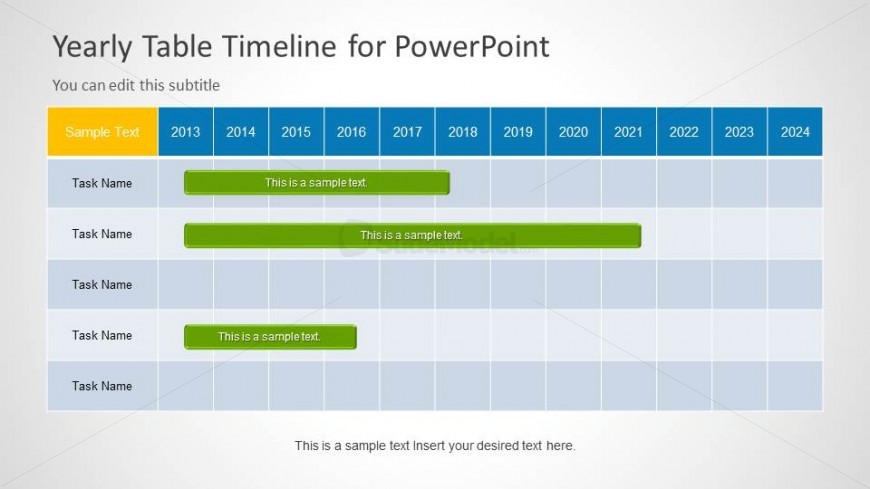
Yearly Table Timeline for PowerPoint
- Table
- Data Table
- Timeline Slide
- 16:9
- 100% Editable
The Yearly Table Timeline slide from the Table Timeline Template for PowerPoint provides a clear, editable layout for tracking project tasks across multiple years. This slide template is ideal for business presentations requiring detailed task management and resource allocation, featuring editable shapes and a structured table format that enhances clarity in corporate slide decks.
About This Slide
Timeline template for PowerPoint that you can use as a Gantt chart for project management and product planning presentations.
What’s on This Slide
The layout features a horizontal table with a header row spanning multiple columns. The first column contains task names, while subsequent columns represent years from 2013 to 2024. Each task row includes colored bars indicating task duration across the years. The header is highlighted in orange, while the task bars are green. Text placeholders exist for the title, subtitle, and body text, positioned at the top and bottom of the slide. The overall composition is structured for clarity and organization, with a light background enhancing readability.
How to Use It
This layout serves as a yearly timeline for tracking tasks over multiple years. It fits well in project management presentations, where milestones and timelines are critical. Use it to illustrate project phases, resource allocation, or task scheduling. This structure is suitable for business planning, product management, and reporting progress over time. It can also be adapted for educational purposes to showcase project timelines or historical events.
Text Placeholders & Capacity
Keep your copy within these limits so it fits without resizing. Node labels can hold about 3-5 words each.
| Placeholder | Count | Max characters (approx.) |
|---|---|---|
| Slide title | 1 | 30 |
| Subtitle | 1 | 30 |
| Item heading | 5 | 20 |
| Item body | 5 | 50 |
| Body paragraph | 1 | 80 |
Slide Keywords
Download unlimited PowerPoint templates, charts and graphics for your presentations with our annual plan.
DOWNLOADReturn to Table Timeline Template for PowerPoint.