Slide 2 of 3 from Table of Content Slides for PowerPoint
Table of Content 4 Items Slide Design for PowerPoint
Table of Content Slide with Globe Illustration
- Diagram
- Other
- Agenda Slide
- 16:9
- 100% Editable
The Table of Content with Globe slide from the Table of Content Slides for PowerPoint template offers a clear agenda layout featuring editable shapes and a globe illustration. Ideal for business presentations and training outlines, this slide template helps organize project overviews and report structures within a professional slide deck.
About This Slide
Agenda slide design for PowerPoint presentations with space for four items and a globe illustration in the slide design.
What’s on This Slide
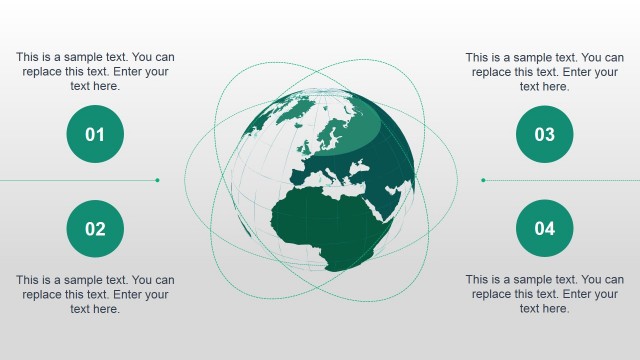
The layout features a globe illustration on the left side, displaying North America in blue. To the right, there are four numbered circular markers, each containing a text placeholder aligned vertically. The globe is centrally positioned, while the markers are arranged in a vertical list. Each marker is visually distinct, with a circular shape and a blue background. Text placeholders are positioned next to each marker, allowing for editable content. The background is a light gradient, enhancing the overall clarity and focus on the content.
How to Use It
This layout serves as a table of contents for presentations, effectively outlining key sections. It is suitable for business meetings, training sessions, or reports where a clear agenda is needed. Positioned after an introductory slide, it guides the audience through the presentation structure. This format can also be adapted for various content types, such as project outlines or training modules, ensuring clarity and organization in the presentation flow.
Text Placeholders & Capacity
Keep your copy within these limits so it fits without resizing. Node labels can accommodate roughly 3-5 words each, while body text can fit about 5-7 words each.
| Placeholder | Count | Max characters (approx.) |
|---|---|---|
| Slide title | 1 | 30 |
| Item heading | 4 | 20 |
| Item body | 4 | 30 |
Slide Keywords
Download unlimited PowerPoint templates, charts and graphics for your presentations with our annual plan.
DOWNLOADReturn to Table of Content Slides for PowerPoint.