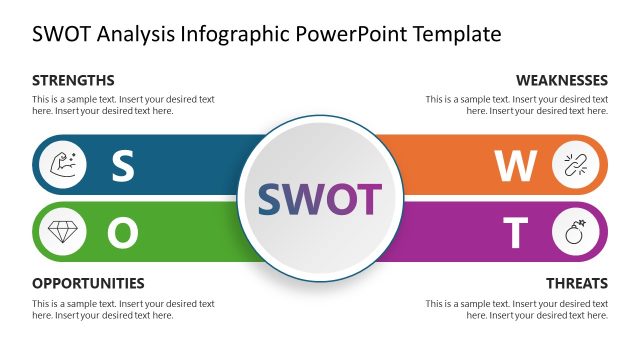
Slide 1 of 5 from SWOT TOWS PowerPoint Template
SWOT TOWS Presentation Template
SWOT TOWS Analysis Template for PowerPoint
- Diagram
- Matrix Quadrant
- Strategic Analysis Slide
- 16:9
- 100% Editable
The SWOT TOWS Analysis Diagram slide from the SWOT TOWS PowerPoint Template offers a clear matrix quadrant layout ideal for strategic planning and competitive analysis. This slide template uses editable shapes and vector icons to visually distinguish strengths, weaknesses, opportunities, and threats, making it a practical choice for business presentations and team workshops. Its design supports effective communication of strategic options within a corporate presentation or pitch deck template.
What’s on This Slide
The layout features a central title at the top, with four labeled sections arranged vertically below. Each section is represented by a colored node: blue for Strengths, orange for Weaknesses, green for Opportunities, and purple for Threats. Lines connect these nodes to corresponding text placeholders, which are aligned to the right of each node. The placeholders are rectangular and positioned to allow for additional text. The visual hierarchy emphasizes the nodes with bold colors, while the background remains neutral, enhancing readability.
How to Use It
This layout serves as a structured framework for conducting a TOWS analysis, allowing users to identify strategic options based on strengths, weaknesses, opportunities, and threats. It fits well in the early stages of a strategic planning presentation, following an introduction to the SWOT framework. Ideal for business scenarios such as strategic planning sessions, team workshops, or presentations aimed at analyzing competitive landscapes.
Text Placeholders & Capacity
Keep your copy within these limits so it fits without resizing. Node body slots can accommodate roughly 10-12 words each.
| Placeholder | Count | Max characters (approx.) |
|---|---|---|
| Slide title | 1 | 50 |
| Item heading | 4 | 20 |
| Item body | 4 | 50 |
Slide Keywords
Download unlimited PowerPoint templates, charts and graphics for your presentations with our annual plan.
DOWNLOADReturn to SWOT TOWS PowerPoint Template.