Stairs with Doors Diagram for PowerPoint
What’s inside this template
Example presentation scenarios
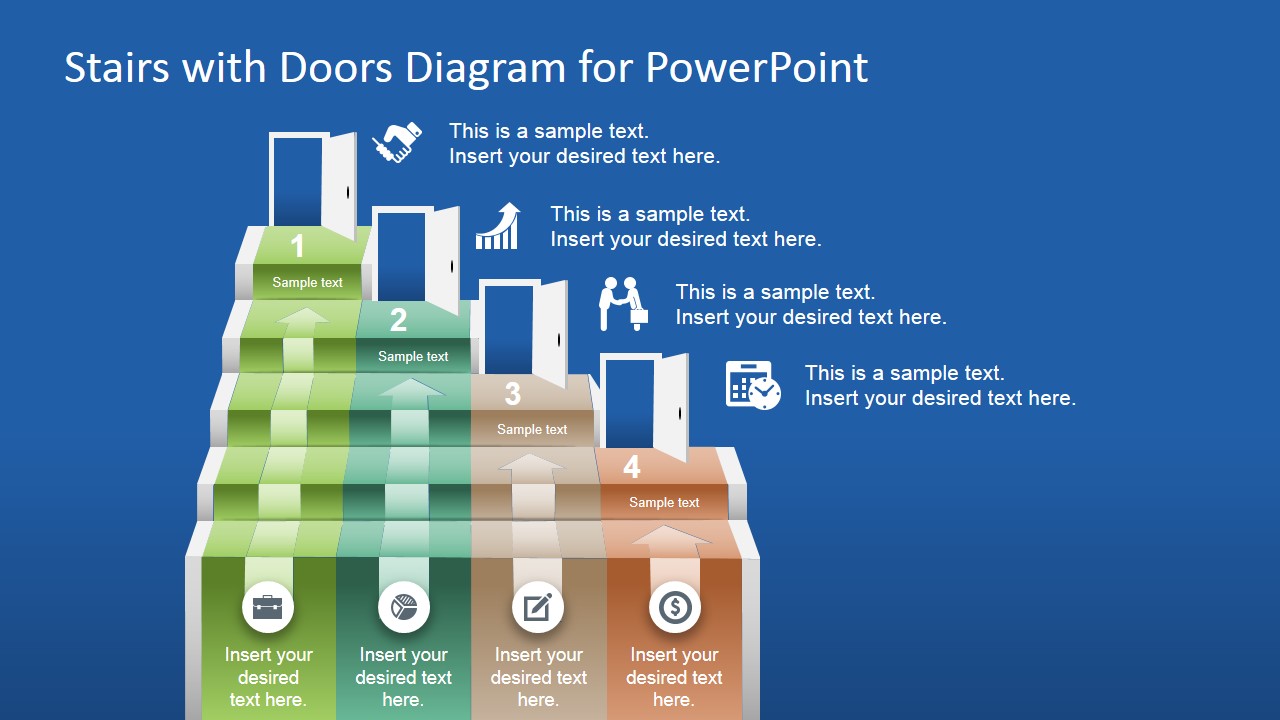
- A project manager can use the staircase diagram to explain four delivery milestones and show how each completed step opens the next project gate.
- A sales leader can present a pipeline development path by assigning each door to a prospect stage and using the right-side icon callouts for key actions.
- A training facilitator can introduce an onboarding journey where each numbered stair represents a learning level and the bottom icon captions summarize required activities.
- A strategy presenter can map a growth plan by using the doors as opportunity points and the upward arrows to show momentum across the four stages.
Features
- 100% editable presentation template
- Compatible with Microsoft PowerPoint and Google Slides
- 16:9 aspect ratio slides
- Scalable vector shapes, icons and illustrations
- AI-Ready for Microsoft Copilot and Claude
- Instant access and download
Frequently asked questions
Q: How should I present a message effectively with this stairs and doors diagram?
A: Frame each stair as a completed level and each door as the next access point. Keep the text short: one label on the step, one action-oriented caption at the bottom, and one supporting note in the right-side callout. This helps the audience follow the climb without turning the diagram into a dense checklist.
Q: What presentation situations fit this template best?
A: This slide works best for presenters who need to explain movement through four defined stages, such as project gates, onboarding levels, sales maturity, or strategic growth steps. The layout is less about detailed scheduling and more about making progress feel visible, sequential, and tied to decisions or opportunities.
Q: Why use stairs and doors instead of a standard process row?
A: The staircase gives the idea of effort and upward progress, while the open doors suggest access, transition, and new possibilities. Together, they create a stronger metaphor than a flat process row. The numbered steps keep order clear, and the icons give each stage a quick visual anchor.
Stairs with Doors Diagram for PowerPoint
1-slide presentation template with stairs and doors diagram for milestone paths and opportunity stages
Stairs with Doors Diagram for PowerPoint is a 1-slide 16:9 presentation template for showing a four-step progression. The slide uses a staircase diagram, open door symbols, numbered steps, vector icons, and short text callouts. It is suited for business milestones, process stages, onboarding paths, and opportunity mapping in Microsoft PowerPoint and Google Slides.
- Category
- Shapes
- Rating


 Loading...
- Aspect ratio
- 16:9
- Item ID
- 7022-01
- Colors
 Microsoft PowerPoint
  Microsoft Copilot
  Claude for PowerPoint
 Other formats supported
Subscribe today and get immediate
access to download our PowerPoint templates.