Slide 1 of 3 from Spiral Diagram for PowerPoint
1134-spiral-diagram-wide-1
Spiral Diagram for Process Flow
- Diagram
- Spiral
- Process Slide
- 16:9
- 100% Editable
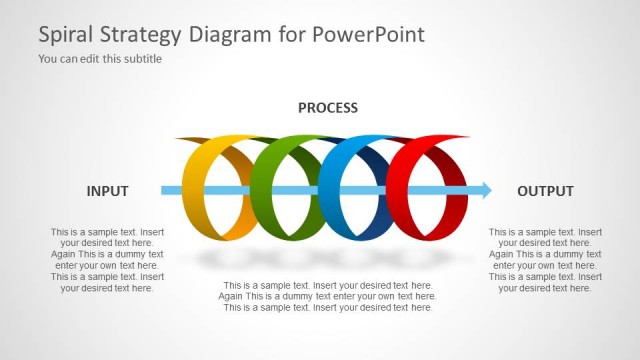
The Spiral Diagram slide from the Spiral Diagram for PowerPoint template provides a clear visual representation of process flows using editable shapes and vector icons. Ideal for business presentations, this slide template helps illustrate workflows and project phases effectively within a corporate presentation or pitch deck template.
What’s on This Slide
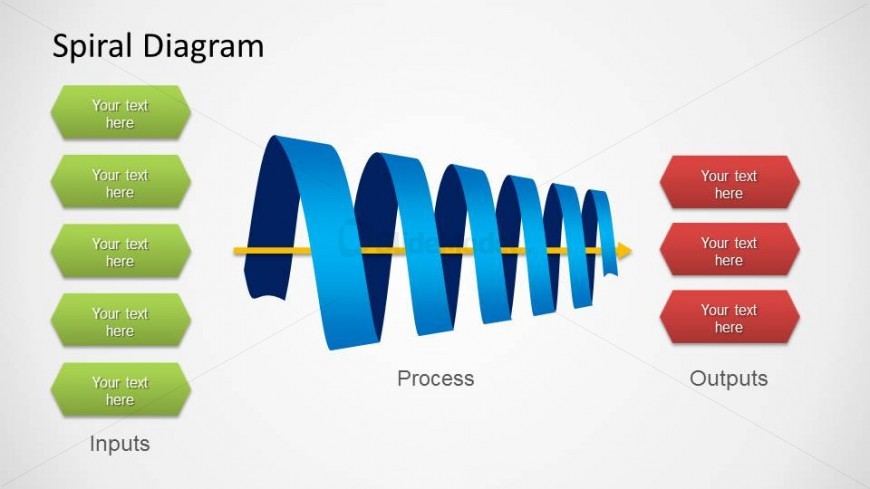
The layout features a central spiral diagram with a blue gradient, representing a process flow. On the left, five green rectangular shapes are vertically aligned, each containing a text placeholder for inputs. The spiral extends horizontally to the right, leading to three red hexagonal shapes that contain text placeholders for outputs. The word 'Process' is centrally placed along the spiral. The background is light gray, providing contrast to the colorful elements. The visual hierarchy emphasizes the spiral and the labeled sections.
How to Use It
This layout serves as a process flow diagram, illustrating inputs, processes, and outputs in a sequential manner. It is suitable for presentations that explain workflows, project phases, or operational processes. This slide can be effectively used in business contexts such as project management, process optimization, or training sessions. It fits well at the beginning of a presentation to introduce a topic or framework, establishing a clear structure for the audience.
Text Placeholders & Capacity
Keep your copy within these limits so it fits without resizing. Node labels can accommodate around 2-3 words each.
| Placeholder | Count | Max characters (approx.) |
|---|---|---|
| Slide title | 1 | 20 |
| Item heading | 5 | 15 |
| Item heading | 3 | 15 |
| Body paragraph | 1 | 30 |
Slide Keywords
Download unlimited PowerPoint templates, charts and graphics for your presentations with our annual plan.
DOWNLOADReturn to Spiral Diagram for PowerPoint.